Better suited to 15 / 25-second sequences rather than only mid-length scene tests
BestVid Sora 2 Pro
A heavier Sora page built for higher-spec review cuts, longer scene beats, and more committed proposal work.
If Sora 2 feels like “get the scene on screen,” Sora 2 Pro is closer to “push the winning sequence into a heavier review cut.” The current page supports 15 / 25-second runs, keeps quality controls and reference-image support, and fits higher-spec drafting once the direction is clearer.
Adult/NSFW content is strictly prohibited. Content Policy
Adult/NSFW content is strictly prohibited. Content Policy
Cost: — Credits
Model overview
What Sora 2 Pro is and why it fits heavier visual proposal work
Inside BestVid, Sora 2 Pro has a clear place: it is not the default starting point for every job, but a better page for directions that already won and now need longer sequences, heavier settings, and a more complete review cut.
Sora 2 Pro
Sora 2 Pro is the heavier, more complete Sora page currently exposed in BestVid. It keeps the prompt-first narrative logic of Sora 2, but pushes the workflow into longer 15 / 25-second runs, explicit quality settings, and a better fit for brand proposals, longer concept sequences, and higher-spec internal review. The current default is 15 seconds, high quality, and 16:9.
Workflow
Text to video
Default output
15s · 16:9 · high
Best for
Brand proposal review cutsLonger mood filmsCampaign visual sequences
01
If Sora 2 is good for seeing whether a scene beat works, Sora 2 Pro is better for judging whether a longer segment is close enough to a proposal cut, a client-review sequence, or an internal decision-making version. Its value comes from completeness, not speed.
02
That is why the page defaults to 15 seconds at high quality. It serves brand proposals, director-style visual pitches, longer mood films, storyboard-like previs, and fuller campaign sequences rather than first-round creative filtering.
03
When the user chooses 25 seconds, the current workflow drops the quality mode to standard. That keeps the page aligned with the real product instead of pretending every longer run always carries the same high-spec output by default.
Sora 2 Pro15 / 25 secondsHigher-spec review cuts
Keeps explicit quality settings with a high default to match review-grade workflow
Fits brand proposals, longer mood films, and more complete visual pitches
Retains image-reference support for extending existing concept visuals into longer motion
Usage Guide
Best Practices for Sora 2 Pro
Fully leverage Sora 2 Pro premium capabilities for commercial-grade video output.
Usage guide
Section 1
Prompt Tips: Detail Density Defines Quality
Sora 2 Pro has a larger context window for complex prompts. Unlike the standard version, Pro can digest longer, more detailed descriptions without losing focus. Include material descriptions (e.g., "silk-textured curtains swaying in a gentle breeze"), lighting details (e.g., "3 PM side light streaming through floor-to-ceiling windows"), and ambient sound cues for immersion. Pro converts all these details into visual output.
When to apply
Apply this when working with Sora 2 Pro to reduce trial-and-error and reach a publishable result faster.
Next step
Continue to the next section: Strengths and Limitations
Core capabilities
What Sora 2 Pro emphasizes: longer sequences, heavier review, and explicit quality control
This is not just a “more expensive” version of the same page. It is a working surface for a heavier decision stage.
Video generation capabilities
Current focus
Better for longer-sequence review
The 15 / 25-second durations make Sora 2 Pro more suitable for judging whether a proposal or brand sequence is beginning to feel complete.
15 / 25 seconds
Fuller segments
Higher review value
What this solves
This is designed to clarify how to start, what to control, and how to move the first draft closer to a usable direction.
Why this layout works
Most visitors want the practical answer first: input type, capability boundary, and whether the page fits the task they actually need to ship.
How to use Sora 2 Pro to push a winning direction into a fuller review cut
This page is most useful after a direction is already clear instead of using it for mass early-stage testing.
01
Make sure the direction already works before handing it to the Pro page
The value of Sora 2 Pro is pushing promising scenes further, not replacing every first-round draft page.
02
Start with the 15-second high preset to judge a complete sequence
Fifteen seconds is enough room for a fuller scene beat, shot progression, and emotional atmosphere to appear.
03
Move to 25 seconds only when the sequence truly needs more room
Twenty-five seconds behaves more like a heavier review cut. It makes sense once the sequence has already earned the extra room.
04
If posters or concept stills exist, add a reference image to keep the longer sequence aligned
Reference imagery becomes even more valuable in longer sequences because it helps the style and subject stay aligned.
bestvid.net/generate
These jobs are better handed to Sora 2 Pro once the direction is ready
When the project has moved from “does the direction work?” to “is this worth deeper investment?”, Sora 2 Pro becomes the stronger page.
Brand proposal sequences are the clearest fit. Once the team mostly agrees on the direction and needs a fuller longer segment for client review or an internal decision, Sora 2 Pro becomes more valuable.
Longer mood films, visual treatment pieces, and campaign sequences also belong here because the job is no longer only checking an opening. It is judging whether a complete section feels convincing.
For director-style creators, studios, and teams that need to communicate a fuller concept, Sora 2 Pro works well as a second-stage page. Find the direction in a lighter workflow first, then push the winning version into a more complete review cut.
So the page answers a practical question: when a direction is worth deeper investment, which model page should carry the longer, heavier, more quality-controlled stage of the work?

HOT 🔥
Brand proposal review cuts
Useful for turning a winning direction into a fuller client-review or internal decision cut.
8.4k USESUse Template

NEW
Longer mood films
A stronger fit for full atmospheric segments instead of only a single opening shot.
1.2k USESUse Template

NEW
Campaign visual sequences
Useful for building a fuller campaign-style visual proposal before real production begins.
4.1k USESUse Template

NEW
Director-style visual proposals
A better fit for director treatments, studio pitches, and proposals that need fuller shot progression.
4.1k USESUse Template
NEW
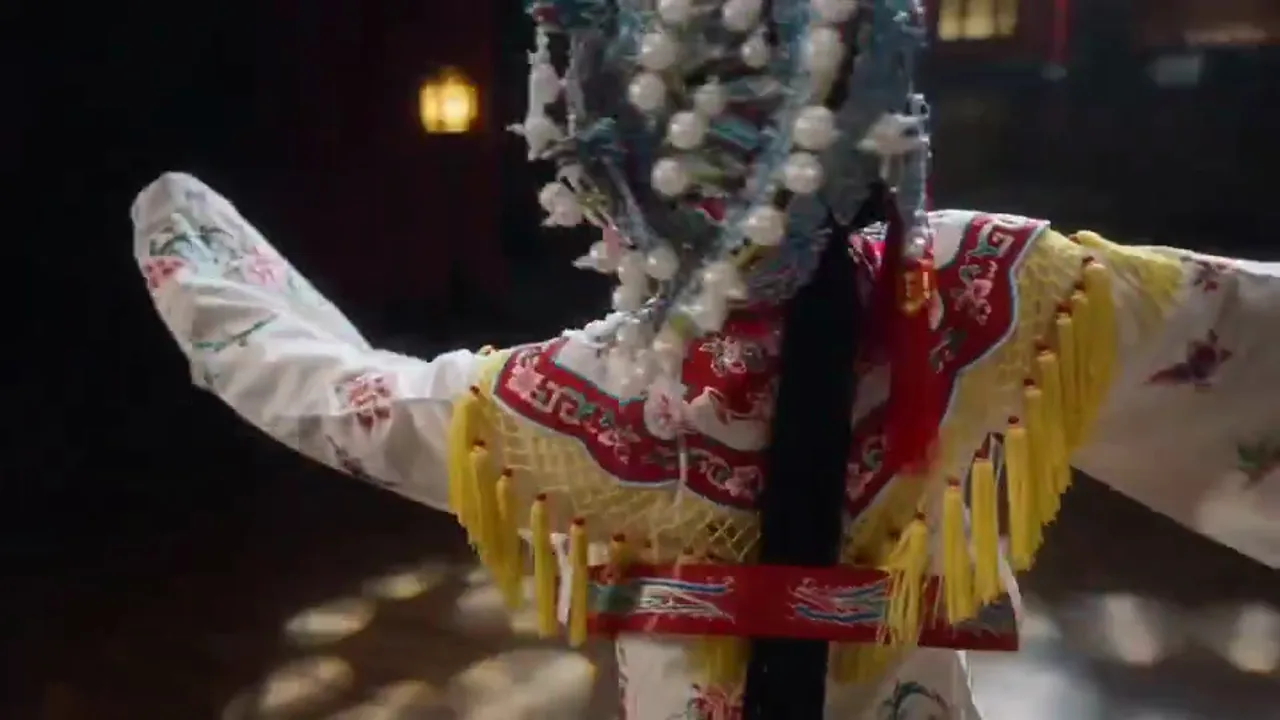
Poster or concept art to longer motion
When concept visuals already exist, this page is better for extending them into longer, more complete cinematic motion.
4.1k USESUse Template

NEW
More complete internal review sequences
Useful once the team is no longer only discussing direction but is deciding whether a version deserves deeper investment.
4.1k USESUse Template
Model Comparison
How Sora 2 Pro Compares to Other Video Models
Understand where Sora 2 Pro stands as the top-tier option for high-resolution long-form narrative.
vs
Alternative 01
Sora 2 Pro vs Sora 2
Sora 2 Pro surpasses the standard version across the board in maximum resolution, duration cap, and detail fidelity. Pro supports higher output resolution and longer continuous generation, with a visible quality gap in commercial delivery scenarios. Standard fits rapid prototyping; Pro fits final delivery.
Best for high-quality video output intended for direct commercial distribution.
vs
Alternative 02
Sora 2 Pro vs Professional Production Teams
Professional teams deliver the highest-quality live-action footage, but cost and timeline are the main bottlenecks. Sora 2 Pro generates near-professional cinematic frames while allowing unlimited iterations without additional shooting costs. For concept validation, internal pitches, and mid-budget commercial projects, Pro can directly replace some live-action segments.
Ideal for mid-budget ad agencies and production teams needing rapid pitch materials.
vs
Alternative 03
Sora 2 Pro vs Veo 3.1
Both target the premium segment. Veo 3.1 is stronger in physics simulation and environmental photorealism, while Sora 2 Pro leads in character-performance depth and narrative coherence. If the project core is environment showcase (architecture, nature), Veo fits better; if the core is human storytelling, choose Sora 2 Pro.
Best for premium projects that need to decide between narrative depth and visual fidelity.
User feedback
Feedback written around higher-spec review cuts
These testimonials are not about speed. They focus on whether Sora 2 Pro helps teams push the worth-continued version into a more complete review state.
“Sora 2 Pro matters most for us once the direction is clear and we need a fuller version for the meeting room.”

Brand strategy team
Proposal review
“This is not the page we use for random early testing. It is the page we use to push the winning concept into a more complete pitch sequence.”

Creative studio
Visual pitch
“Sora 2 Pro matters most for us once the direction is clear and we need a fuller version for the meeting room.”
Brand strategy team
Proposal review
“This is not the page we use for random early testing. It is the page we use to push the winning concept into a more complete pitch sequence.”
Creative studio
Visual pitch
“Sora 2 Pro matters most for us once the direction is clear and we need a fuller version for the meeting room.”
Brand strategy team
Proposal review
“This is not the page we use for random early testing. It is the page we use to push the winning concept into a more complete pitch sequence.”
Creative studio
Visual pitch
“Sora 2 Pro matters most for us once the direction is clear and we need a fuller version for the meeting room.”
Brand strategy team
Proposal review
“This is not the page we use for random early testing. It is the page we use to push the winning concept into a more complete pitch sequence.”
Creative studio
Visual pitch
“The 15-second high preset is the most useful part for me because it gives enough room to judge whether a fuller sequence works.”

Director-style creator
Longer mood films
“Once a sequence proves it is worth continuing, we switch to Sora 2 Pro to judge the fuller shot progression.”

Game narrative team
Cinematic previs
“The 15-second high preset is the most useful part for me because it gives enough room to judge whether a fuller sequence works.”
Director-style creator
Longer mood films
“Once a sequence proves it is worth continuing, we switch to Sora 2 Pro to judge the fuller shot progression.”
Game narrative team
Cinematic previs
“The 15-second high preset is the most useful part for me because it gives enough room to judge whether a fuller sequence works.”
Director-style creator
Longer mood films
“Once a sequence proves it is worth continuing, we switch to Sora 2 Pro to judge the fuller shot progression.”
Game narrative team
Cinematic previs
“The 15-second high preset is the most useful part for me because it gives enough room to judge whether a fuller sequence works.”
Director-style creator
Longer mood films
“Once a sequence proves it is worth continuing, we switch to Sora 2 Pro to judge the fuller shot progression.”
Game narrative team
Cinematic previs
Flexible pricing that scales with output
Start free, then upgrade with credits. Every plan stays watermark-free with monthly or yearly billing.
Starter
For regular creators
$10
$15/moAnnual total $$120 · save about 33%
Monthly credits600
Valid for 30 days
Cost per 100 credits
$1.67Core creator features
- Core video and image generation workflow
- Faster queue priority
- Commercial usage license
- HD export workflow
- Prompt enhancement tools
- Reusable creator presets
- AI video enhancer
- AI video background remover
- Seedream model
- Support AI video generation
- Seedance model
- Veo 3 model
- Sora 2 model
- Wan 2.5 model
- No watermark
- Email support
Premium
For production teams
Most PopularSave up to 50%
$14.5
$29/moAnnual total $$174 · save about 50%
Monthly credits1,500
Valid for 30 days
Cost per 100 credits
$0.97Everything in Lite, plus
- Everything in Lite
- Highest queue priority
- Commercial usage license
- Team collaboration presets
- High-volume production scaling
- Multi-model creative workflow
- Priority customer support
- Advanced prompt controls
- Brand-safe commercial production
- Longer-running production usage
- Priority generation queue
- Seedance 2.0 model
- Seedream model
- AI video enhancer
- AI video background remover
- Veo 3 model
- Sora 2 model
- Seedance model
- Wan 2.5 model
- No watermark
Advanced
For production teams
$124.5
$249/moAnnual total $$1494 · save about 50%
Monthly credits18,000
Valid for 30 days
Cost per 100 credits
$0.69Everything in Pro, plus
- Everything in Lite
- Highest queue priority
- Commercial usage license
- Team collaboration presets
- High-volume production scaling
- Multi-model creative workflow
- Priority customer support
- Advanced prompt controls
- Brand-safe commercial production
- Longer-running production usage
- Priority generation queue
- Seedance 2.0 model
- Seedream model
- AI video enhancer
- AI video background remover
- Veo 3 model
- Sora 2 model
- Seedance model
- Wan 2.5 model
- No watermark
- Higher monthly credit ceiling
- Dedicated account support
- Priority launch access to new models
For cancellations, billing questions, or plan changes, contact support@bestvid.net
Sora 2 Pro FAQ
What is the real difference between the Sora 2 and Sora 2 Pro pages?
Sora 2 behaves more like a first-stage narrative drafting page, while Sora 2 Pro is a heavier second-stage review page for longer sequences and more committed settings once the direction is clear.
Why does the page default to 15 seconds at high quality?
Because the job of the page is to turn a promising direction into a fuller review cut. Fifteen seconds at high quality is a more useful default for judging whether a sequence is approaching proposal-level completeness.
Why does the workflow switch to standard at 25 seconds?
Because that is how the current live workflow is normalized. The page maps 25-second runs to the more realistic standard output mode instead of pretending every long run carries the same high-spec default.
Does the current Sora 2 Pro page still support reference images?
Yes. The live workflow still keeps reference-image input, which helps stabilize longer scenes when posters, concept visuals, or character art already exist.
What kinds of jobs fit Sora 2 Pro best?
It is best suited to brand proposal review cuts, longer mood films, campaign visual sequences, director-style visual pitches, and other higher-spec tasks that need a fuller review version.
Free to start · Scale as you go
Transform your vision with BestVid: the professional AI video & image generator
Start creating with our professional AI generator today. Use text-to-video and image-to-video to produce drafts fast, then enhance with our production suite. Free to start, scale as you go.