Publicly positioned as a native audio-visual generation model, not just silent video output
BestVidSeedance 1.5 Pro
A video model for ads, narrative clips, and social content, publicly positioned around native audio-visual generation, stronger prompt understanding, and more expressive camera control.
This page is not trying to rank Seedance 1.5 Pro against every other model. It is focused on what the model is, what its public materials emphasize, and how BestVid currently uses it as a starting point for video drafts.
Model overview
What Seedance 1.5 Pro is and what kinds of video jobs it fits
Seedance 1.5 Pro is a video generation model aimed at richer video expression. In its public materials, it is described around audio-visual generation, complex instruction following, camera-language control, and character performance rather than as a generic motion engine.
Seedance 1.5 Pro
Seedance 1.5 Pro is a video generation model from ByteDance Seed. Its public materials emphasize native audio-visual generation, stronger handling of complex prompts, cinematic camera language, narrative coherence, and multilingual lip-sync; inside BestVid, this page currently opens it in a text-to-video preset for first-pass video drafting.
Workflow
Text to video
Default output
5s · 16:9 · 1080p
Best for
Ad clips and campaign sequencesCharacter scenes and dialogue moodShort narrative beats and scene progression
01
That changes how a good model landing page should read. The job is not to turn the page into a ranking table. It is to explain what the model is built for, where it fits well, and why ad clips, narrative scenes, character-driven moments, and social videos benefit from that capability mix.
02
For real teams, that is more useful than a broad comparison chart. Brand teams need to know whether the camera logic and pacing can match a brief. Marketers need to know whether the first cut can reach review quality quickly. Creators need to know whether performance and scene progression will hold together. Seedance 1.5 Pro is interesting because its public strengths map onto those questions directly.
03
Inside BestVid, this page currently uses Seedance 1.5 Pro as a text-to-video starting model with a 16:9, 5-second, 1080p preset. The goal is not one-click final delivery. It is to move script, scene direction, camera intent, and video rhythm into something concrete enough to judge and iterate.
Seedance 1.5 ProModel overviewText-to-video default
Designed to follow complex prompts, camera language, and shot-direction cues
Public materials highlight multilingual and dialect lip-sync for performance-driven scenes
Well suited to ads, narrative clips, social videos, and character-led content
Usage guide
How to get the most out of Seedance 1.5 Pro
From prompt techniques to workflow recommendations, practical guidance for using Seedance 1.5 Pro more effectively on video generation tasks.
Usage guide
Section 1
Prompt tips: leverage joint audio-visual generation
Explicitly describe the audio you expect in your prompt: character dialogue content, narration tone, ambient sound effects, background music style. Seedance 1.5 Pro can output visuals and audio simultaneously in a single generation, but it needs sufficient audio cues from you. For example, writing "a young woman says welcome home in a warm tone" produces more accurate lip-sync and timbre matching than simply writing "a woman talking." Camera control keywords like "slow push-in" or "orbiting shot" are also effectively understood.
When to apply
Apply this when working with Seedance 1.5 Pro to reduce trial-and-error and reach a publishable result faster.
Next step
Continue to the next section: Best scenarios and known limitations
Core capabilities
Four Seedance 1.5 Pro capabilities worth paying attention to
This section is intentionally not a ranking chart. It focuses on Seedance 1.5 Pro itself so the page stays closer to what users actually search for on a model-introduction landing page.
Video generation capabilities
Current focus
Native audio-visual generation
Public materials position Seedance 1.5 Pro around native audio-visual generation. For a model-introduction page, that matters because it frames the model as aiming for fuller video expression rather than only mechanical motion.
Audio and visuals positioned together
Built for fuller short-form scenes
More than silent motion output
What this solves
This is designed to clarify how to start, what to control, and how to move the first draft closer to a usable direction.
Why this layout works
Most visitors want the practical answer first: input type, capability boundary, and whether the page fits the task they actually need to ship.
How to start a first-pass video with Seedance 1.5 Pro in BestVid
This page starts from a text-to-video preset. The goal is to turn a brief, script, camera idea, and pacing direction into a reviewable first cut before doing heavier refinement.
01
Define whether the job is an ad, a narrative scene, a social clip, or a product video
02
Describe subject, setting, camera motion, and pacing clearly enough to evaluate
A big part of the model’s value is how it handles complex descriptions and shot language, so prompt quality matters most in camera intent, scene logic, and pacing.
03
Use the default 16:9, 5-second, 1080p preset for a reviewable first cut
The preset is deliberately small and review-friendly. First confirm that the scene works, then decide whether to lengthen, refine, or switch the input workflow.
04
Move into image-to-video only when you already have an approved still
When product stills, posters, or character references are already approved, continue the same creative direction through the image-to-video workflow.
bestvid.net/generate

These tasks show where Seedance 1.5 Pro is most relevant
On a model page, the useful question is whether the model matches a concrete job. These use cases are more helpful than a broad statement that the model is simply “strong.”
Ad clips are one of the clearest examples of where this model matters. Teams already have a brief, an offer angle, and some camera direction. What they need is a version that can prove whether the scene works, and camera control matters more than raw speed in that moment.
Short narrative scenes and character-led moments are another representative fit. Public materials mention lip-sync, performance, and narrative coherence, which means the model is not only for empty motion shots but for scenes with people, dialogue, and progression.
For brand teams, marketers, and independent creators, social clips and product videos are also high-frequency jobs. The goal is often not instant final delivery. It is to make the opening, shot language, human presence, and pacing feel real enough to review.
That is the real question this page is trying to answer: if your job is an ad sequence, a short dramatic beat, a character scene, or a social-first clip, do Seedance 1.5 Pro’s public strengths give you a better place to start?

HOT 🔥
Ad clips and campaign sequences
Useful for turning a brief, offer angle, and camera idea into a first-pass ad sequence so teams can review the opening, pacing, and visual framing quickly.
8.4k USESUse Template

NEW
Character scenes and dialogue mood
When the scene includes human performance, lip-sync, spoken mood, or character behavior, Seedance 1.5 Pro’s public strengths become much more relevant.
1.2k USESUse Template

NEW
Short narrative beats and scene progression
A better fit for short dramatic beats that need scene progression and narrative continuity instead of only one isolated showcase shot.
4.1k USESUse Template

NEW
Brand clips and social videos
For brand content and social-first videos, the model is useful when the goal is to align camera tone, human presence, and pacing early.
4.1k USESUse Template
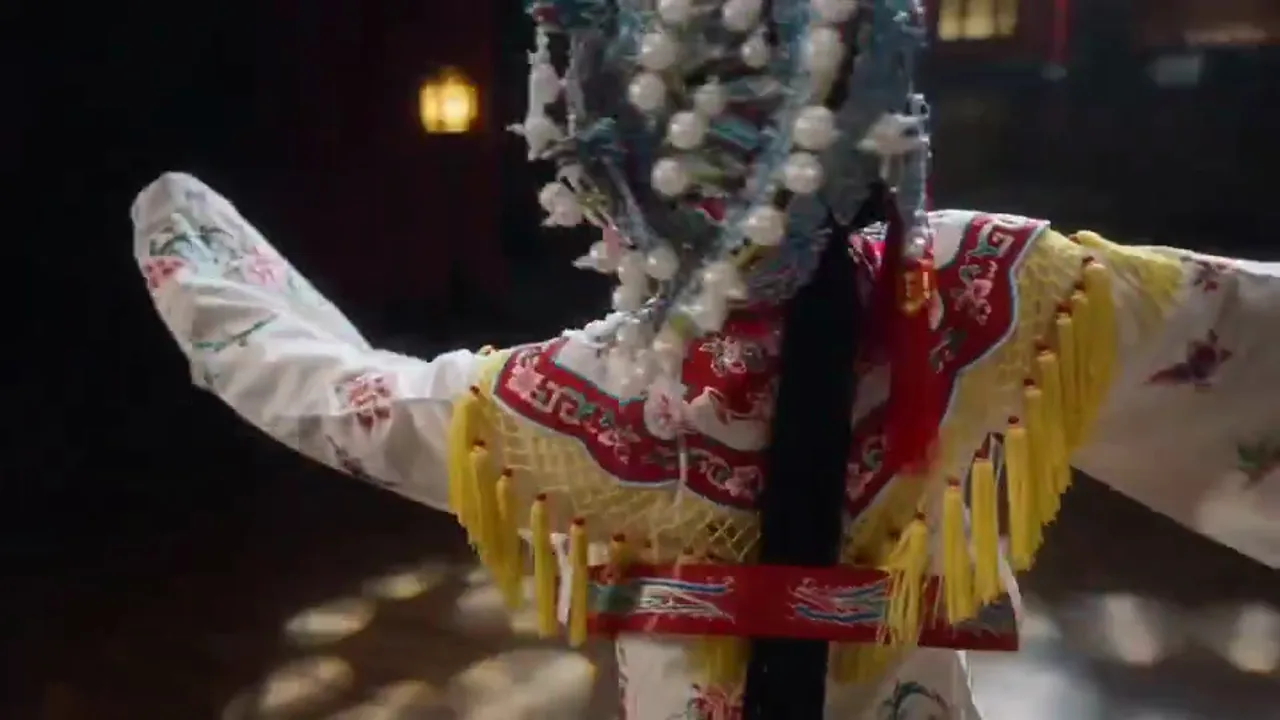
NEW
Product videos and camera-language testing
When the team is judging material texture, framing, and shot direction in a product video, this page’s preset is a practical way to get the first version on screen.
4.1k USESUse Template

NEW
Image-to-video extension from approved stills
The current page starts from text, but once key visuals, posters, or character stills are approved, the same direction can continue into image-to-video.
4.1k USESUse Template
Model comparison
How Seedance 1.5 Pro compares to other video generation options
Understand the specific advantages of Seedance 1.5 Pro over competing models and traditional tools across different workflows.
vs
Alternative 01
Seedance 1.5 Pro vs Sora
The core differentiator of Seedance 1.5 Pro is joint audio-visual generation with multilingual lip-sync. Sora focuses more on visual imagination and long-take storytelling but does not natively output synchronized speech. When your brief requires character dialogue, narration, or ambient sound in sync with visuals, Seedance 1.5 Pro delivers a unified audio-visual first draft in a single pass.
Best for ad scripts, product demos, and brand films that require synchronized speech, narration, or dialogue.
vs
Alternative 02
Seedance 1.5 Pro vs traditional editing workflow
Traditional workflows require separate rounds of shooting (or stock sourcing), editing, voice recording, and audio mixing, each with its own delivery cycle and coordination overhead. Seedance 1.5 Pro compresses visual generation, audio generation, and camera control into a single prompt interaction, skipping the wait time of chaining multiple tools so that a first-pass draft appears within minutes.
Ideal for teams that need to validate creative direction quickly, especially projects with limited budgets that cannot commit to full production pipelines in the first round.
vs
Alternative 03
Seedance 1.5 Pro vs Seedance 1 Pro Fast
The Fast variant is optimized for rapid generation and direction screening, suitable for running multiple variants in parallel for comparison. The 1.5 Pro version offers deeper instruction comprehension, more precise camera control, and stronger narrative coherence, making it better for producing more complete first drafts after the direction is confirmed. They are not substitutes but upstream and downstream stages of the same workflow.
Once you have screened a winning direction through the Fast variant, switching to 1.5 Pro to refine the first draft is the logical next step.
User feedback
Feedback written around real Seedance 1.5 Pro workflows
These are not generic platform testimonials. They are written around the jobs Seedance 1.5 Pro is actually good at: ad drafting, product videos, brand clips, and first-round internal review.
“We use it most for first-pass launch ads because the motion feels steadier, which makes it easier to judge the opening, pacing, and product reveal in review.”

Skincare brand content team
Ad draft production
“Feature videos used to stay stuck in copy and rough boards for too long. Now we run a first pass with Seedance 1.5 Pro and internal review becomes much faster.”

SaaS product marketing team
Feature video drafts
“It is not always the fastest model, but it is a very strong default. For product videos and ad drafts, the first pass is usually already good enough to keep refining.”

Ecommerce visual lead
Product storytelling
“We use it most for first-pass launch ads because the motion feels steadier, which makes it easier to judge the opening, pacing, and product reveal in review.”
Skincare brand content team
Ad draft production
“Feature videos used to stay stuck in copy and rough boards for too long. Now we run a first pass with Seedance 1.5 Pro and internal review becomes much faster.”
SaaS product marketing team
Feature video drafts
“It is not always the fastest model, but it is a very strong default. For product videos and ad drafts, the first pass is usually already good enough to keep refining.”
Ecommerce visual lead
Product storytelling
“We use it most for first-pass launch ads because the motion feels steadier, which makes it easier to judge the opening, pacing, and product reveal in review.”
Skincare brand content team
Ad draft production
“Feature videos used to stay stuck in copy and rough boards for too long. Now we run a first pass with Seedance 1.5 Pro and internal review becomes much faster.”
SaaS product marketing team
Feature video drafts
“It is not always the fastest model, but it is a very strong default. For product videos and ad drafts, the first pass is usually already good enough to keep refining.”
Ecommerce visual lead
Product storytelling
“We use it most for first-pass launch ads because the motion feels steadier, which makes it easier to judge the opening, pacing, and product reveal in review.”
Skincare brand content team
Ad draft production
“Feature videos used to stay stuck in copy and rough boards for too long. Now we run a first pass with Seedance 1.5 Pro and internal review becomes much faster.”
SaaS product marketing team
Feature video drafts
“It is not always the fastest model, but it is a very strong default. For product videos and ad drafts, the first pass is usually already good enough to keep refining.”
Ecommerce visual lead
Product storytelling
“What I like is that it does not drift too much. If the prompt is clear, the first result is usually close enough to keep pushing instead of restarting from zero.”

Independent creator
Prompt-led ideation
“We do not use it to ship the final master directly. We use it to validate camera tone and visual direction faster, and for that it behaves more like a real working default than a generic model picker.”

Brand studio
Brand direction testing
“When the team needs to compare several ad directions quickly, the value is not that the output is the flashiest. It is that the model gives us more stable results worth comparing.”
Growth operations team
High-frequency testing
“What I like is that it does not drift too much. If the prompt is clear, the first result is usually close enough to keep pushing instead of restarting from zero.”
Independent creator
Prompt-led ideation
“We do not use it to ship the final master directly. We use it to validate camera tone and visual direction faster, and for that it behaves more like a real working default than a generic model picker.”
Brand studio
Brand direction testing
“When the team needs to compare several ad directions quickly, the value is not that the output is the flashiest. It is that the model gives us more stable results worth comparing.”
Growth operations team
High-frequency testing
“What I like is that it does not drift too much. If the prompt is clear, the first result is usually close enough to keep pushing instead of restarting from zero.”
Independent creator
Prompt-led ideation
“We do not use it to ship the final master directly. We use it to validate camera tone and visual direction faster, and for that it behaves more like a real working default than a generic model picker.”
Brand studio
Brand direction testing
“When the team needs to compare several ad directions quickly, the value is not that the output is the flashiest. It is that the model gives us more stable results worth comparing.”
Growth operations team
High-frequency testing
“What I like is that it does not drift too much. If the prompt is clear, the first result is usually close enough to keep pushing instead of restarting from zero.”
Independent creator
Prompt-led ideation
“We do not use it to ship the final master directly. We use it to validate camera tone and visual direction faster, and for that it behaves more like a real working default than a generic model picker.”
Brand studio
Brand direction testing
“When the team needs to compare several ad directions quickly, the value is not that the output is the flashiest. It is that the model gives us more stable results worth comparing.”
Growth operations team
High-frequency testing
Flexible pricing that scales with output
Start free, then upgrade with credits. Every plan stays watermark-free with monthly or yearly billing.
Lite
For regular creators
$10
$15/moAnnual total $$120 · save about 33%
Monthly credits600Valid for 30 days
Core creator features
- Core video and image generation workflow
- Faster queue priority
- Commercial usage license
- HD export workflow
- Prompt enhancement tools
- Reusable creator presets
- AI video enhancer
- AI video background remover
- Seedream model
- Support AI video generation
- Seedance model
- Veo 3 model
- Sora 2 model
- Wan 2.5 model
- No watermark
- Email support
Pro
For production teams
Most PopularSave up to 50%
$14.5
$29/moAnnual total $$174 · save about 50%
Monthly credits1,500Valid for 30 days
Everything in Lite, plus
- Everything in Lite
- Highest queue priority
- Commercial usage license
- Team collaboration presets
- High-volume production scaling
- Multi-model creative workflow
- Priority customer support
- Advanced prompt controls
- Brand-safe commercial production
- Longer-running production usage
- Priority generation queue
- Seedance 2.0 model
- Seedream model
- AI video enhancer
- AI video background remover
- Veo 3 model
- Sora 2 model
- Seedance model
- Wan 2.5 model
- No watermark
Max
For production teams
$124.5
$249/moAnnual total $$1494 · save about 50%
Monthly credits18,000Valid for 30 days
Everything in Pro, plus
- Everything in Lite
- Highest queue priority
- Commercial usage license
- Team collaboration presets
- High-volume production scaling
- Multi-model creative workflow
- Priority customer support
- Advanced prompt controls
- Brand-safe commercial production
- Longer-running production usage
- Priority generation queue
- Seedance 2.0 model
- Seedream model
- AI video enhancer
- AI video background remover
- Veo 3 model
- Sora 2 model
- Seedance model
- Wan 2.5 model
- No watermark
- Higher monthly credit ceiling
- Dedicated account support
- Priority launch access to new models
For cancellations, billing questions, or plan changes, contact wangneo276@gmail.com
Seedance 1.5 Pro FAQ
What kind of model is Seedance 1.5 Pro?
Based on its public materials, it is not framed as a generic “make images move” model. It is positioned more around audio-visual generation, complex prompt understanding, camera language, performance, and narrative coherence.
What does the public description of Seedance 1.5 Pro emphasize?
The public description highlights native audio-visual generation, handling of complex instructions and camera motion, multilingual and dialect lip-sync, and stronger narrative coherence. Those traits are more useful than raw specs for understanding where it fits.
What video tasks is it especially relevant for?
It is especially relevant for ads, short narrative scenes, character performance, brand content, social videos, and any task where camera language and scene progression matter. Those strengths matter less in one-off motion shots with minimal storytelling needs.
How does this BestVid page currently use Seedance 1.5 Pro?
This page currently uses it as a text-to-video starting model with a 16:9, 5-second, 1080p preset and a blank prompt. The goal is to validate the brief, script, camera idea, and pacing first instead of pretending the first run is the final master.
Should this page be read as BestVid exposing every public Seedance capability already?
No. This page is first a model-introduction page that explains the model through public materials. The actual BestVid implementation shown here is a video-drafting workflow. Keeping those two layers separate helps avoid overclaiming.
What should I do if I already have an approved still or key visual?
Continue into the image-to-video page. Once a product still, poster, or character key visual is already approved, image-to-video is the better workflow for extending that direction into motion.
Free to start · Scale as you go
Transform your vision with BestVid: the professional AI video & image generator
Start creating with our professional AI generator today. Use text-to-video and image-to-video to produce drafts fast, then enhance with our production suite. Free to start, scale as you go.