One interface covering text-to-image, image editing, bbox editing, and sequential generation
BestVid Wan 2.7 Image
A model page that unifies image generation and editing in one interface, focused on controllability and batch consistency.
This page focuses on what makes Wan 2.7 Image different: precise color palette control, bounding-box regional editing, multi-reference consistency with up to 9 input images, and sequential generation of up to 12 images. When your image work needs more than single-shot generation — when it needs controllable, consistent batch output — this page is more direct.
Adult/NSFW content is strictly prohibited. Content Policy
Adult/NSFW content is strictly prohibited. Content Policy
Coût : — crédits
Model overview
Why Wan 2.7 Image fits image work that demands controllability
Inside BestVid, Wan 2.7 Image is positioned as the most controllable unified image model page. It is not just about generating a single image — it gives you parameterized control over color, regional editing, batch consistency, and multi-subject reference.
Wan 2.7 Image
Wan 2.7 Image is the most complete unified generation-and-editing image model page currently available in BestVid. It covers text-to-image, image editing, interactive bounding-box editing, sequential pipelines, and multi-reference consistency through a single interface. The color palette feature supports 3–10 HEX colors with precise ratios, sequential mode generates up to 12 images at once, and multi-reference input accepts up to 9 images for subject consistency.
Flux de travail
Texte en image
Sortie par défaut
1 image · 1:1 · 2K
Idéal pour
Brand visuals and poster seriesE-commerce product imagesSocial media batch production
01
The color palette feature is one of its most visible differentiators. Traditional models treat color as a post-generation surprise. Wan 2.7 lets you lock the color direction upfront with HEX values and ratios. For brand visuals, campaign posters, and e-commerce series that need consistent palettes, this directly reduces the retry cost.
02
Sequential generation and multi-reference input make it suitable for serialized image work. When the same subject needs to stay recognizable across different scenes, or a poster set needs 6–12 visually unified images, these capabilities replace what used to require repeated manual adjustments.
03
Thinking mode is the quality-versus-speed toggle. High-stakes final output can enable enhanced reasoning, while everyday drafting can disable it for faster response. This makes the same model page useful from exploration through delivery.
Wan 2.7 ImageColor paletteSequential generation
Color palette: 3–10 HEX values with ratios for precise color control across the output
Multi-reference consistency: up to 9 input images to maintain subject identity across scenes
Optional thinking mode: enable for enhanced reasoning and quality, disable for faster output
Guide
Wan 2.7 Image Best Practices
Master color palette, sequential generation, and bbox editing techniques to get better results from Wan 2.7 Image.
Guide d'utilisation
Section 1
Prompt and Color Palette Tips
Wan 2.7 supports prompts up to 5000 characters, suitable for detailed complex scene descriptions. When using the color palette, determine brand primary and secondary HEX values first, then assign percentage ratios by visual weight (summing to 100%). Recommended: primary color at 40–60%, with secondary and accent colors sharing the remainder. Palette only works in non-sequential mode.
Quand appliquer
Appliquez ceci lorsque vous travaillez avec Wan 2.7 Image pour réduire les essais et obtenir un résultat plus rapidement.
Étape suivante
Passer à la section suivante : Sequential and Multi-Reference Best Practices
Core capabilities
Four differentiating capabilities of Wan 2.7 Image
These capabilities are parameterized at the API level and can be reliably invoked and validated.
Capacités de génération d'images
Focus actuel
Precise color palette control
Lock the output palette with 3–10 HEX colors and ratios, ending the color gamble.
HEX values + ratios
3–10 colors
Reproducible brand palettes
Ce que cela résout
Conçu pour clarifier comment commencer, quoi contrôler et comment rapprocher l'image initiale d'une direction utilisable.
Pourquoi cette mise en page fonctionne
La plupart des visiteurs recherchant un générateur d'images AI veulent d'abord la réponse pratique : type d'entrée, limites et adéquation à la tâche image.
How to use Wan 2.7 Image for a complete generation-to-editing image workflow
The core value of this page is a unified workflow: generation, editing, color control, and batch output all happen in one place.
01
Define the task type first: text-to-image, editing, sequential, or multi-reference consistency
Wan 2.7 covers multiple modes. Start by deciding whether you need zero-to-one generation, editing from existing images, or batch series output.
02
If brand color matters, lock the HEX palette and ratios before generating
The palette supports 3–10 colors with ratios summing to 100%. Available in non-sequential mode, ideal for brand visuals and color-sensitive work.
03
Use thinking mode to balance quality and speed
Enable thinking mode for final output with stronger reasoning. Disable it for faster turnaround during everyday drafting.
04
After reviewing results, decide whether to continue editing, bbox-refine a region, or upgrade to Pro
The unified interface means no model switching. After generation, you can go straight into editing or bbox refinement for iteration.
bestvid.net/generate
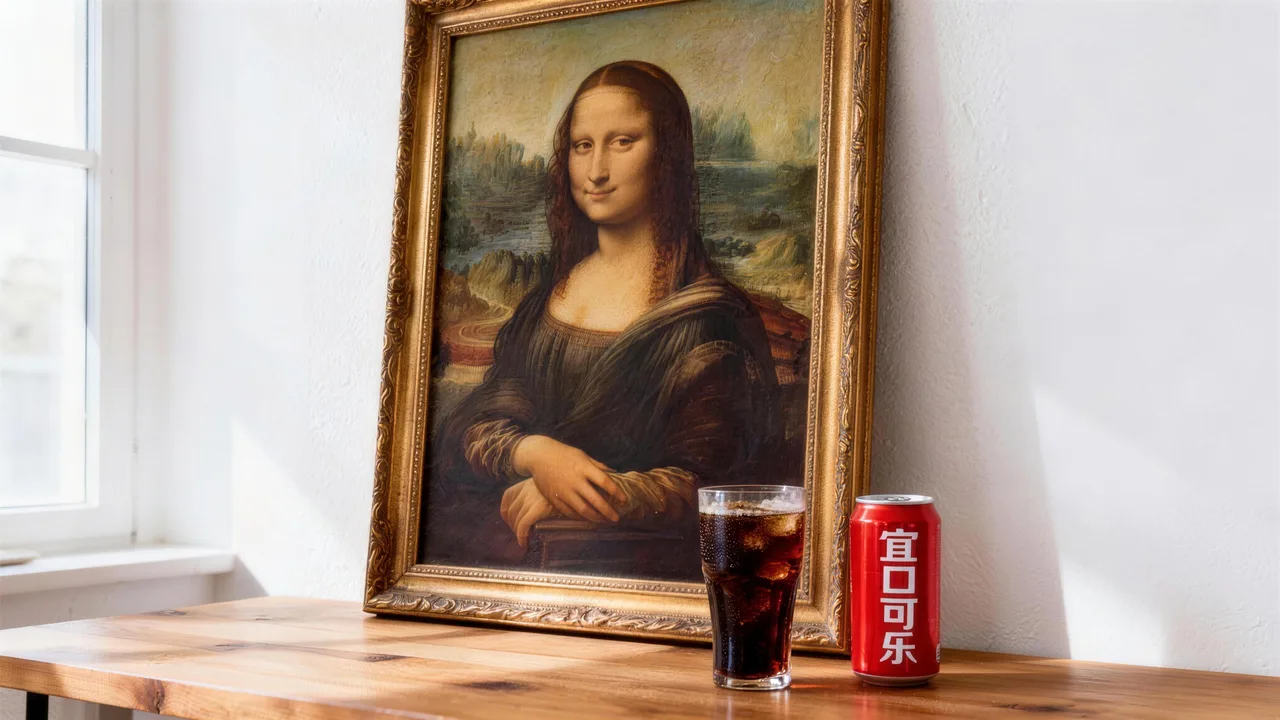
These tasks are especially well-suited for Wan 2.7 Image
When the job needs color control, batch consistency, or regional refinement, this page is more direct than a general-purpose generator.
Brand visual production is the most natural fit. When brand colors must be exact and a poster series must share a unified palette, the color palette feature directly solves the core pain of post-generation color mismatch.
E-commerce product images and detail-page visuals also fit well. The same product across different scenes needs visual consistency, and sequential mode plus multi-reference turns series production from repeated manual adjustment into a single request.
Social media content and multi-platform visual adaptation are high-frequency use cases. When the same theme needs to hold brand identity across different ratios and compositions, the unified interface removes model-switching cost.
Regional refinement and interactive editing suit tasks where existing images need targeted adjustments. Bbox editing lets you specify the modification area without affecting the rest, making it more efficient than regenerating the full image.

HOT 🔥
Brand visuals and poster series
Lock brand colors with the palette and batch-generate style-consistent poster series with sequential mode.
8.4k USESUse Template

NEW
E-commerce product images
Multi-scene product visuals with multi-reference input to maintain product identity.
1.2k USESUse Template

NEW
Social media batch production
One theme adapted to multiple ratios, covering different platform sizes in a single generation.
4.1k USESUse Template

NEW
Regional refinement and editing
Bbox-select specific regions for targeted edits without affecting the rest of the image.
4.1k USESUse Template
NEW
Multi-subject cross-scene consistency
Up to 9 reference images keep characters and subjects recognizable across different scenes.
4.1k USESUse Template
NEW
Campaign visuals and event assets
From hero visuals to extended assets, the unified interface handles generation, editing, and series output.
4.1k USESUse Template
Compare
Wan 2.7 Image vs Other Image Solutions
Understand how Wan 2.7 Image differs from alternatives in controllability and unified workflow.
vs
Alternative 01
Wan 2.7 Image vs Seedream 5.0
Wan 2.7 Image emphasizes controllability (palette, bbox, sequential); Seedream 5.0 emphasizes style expression and brand feel.
Pick Wan 2.7 for precise color and batch consistency; choose Seedream 5.0 for stronger stylization and brand-led visuals.
vs
Alternative 02
Wan 2.7 Image vs Nano Banana 2
Nano Banana 2 is the general-purpose default — lighter and faster. Wan 2.7 Image adds advanced controls like palette, sequential, and bbox editing.
Pick Nano Banana 2 for everyday quick generation; choose Wan 2.7 Image when you need controllability and batch consistency.
vs
Alternative 03
Wan 2.7 Image vs Wan 2.6
Wan 2.7 adds color palette, 12-image sequential, 9-image multi-reference, 5000-char prompts, and 1:8–8:1 aspect ratios — a comprehensive upgrade.
Wan 2.7 is a comprehensive upgrade over 2.6. If already using the Wan family, upgrade directly to 2.7.
User feedback
Real feedback on working with Wan 2.7 Image
This feedback focuses on how controllability and batch consistency translate into efficiency gains.
“The color palette finally means we don't generate 20 images just to find the one with the right colors. HEX values lock brand colors directly.”

Brand design team
Brand color management
“Sequential mode produces 8–12 product images in one request. What used to take per-image adjustment now happens in a single pass.”

E-commerce operations team
Product image batch production
“The color palette finally means we don't generate 20 images just to find the one with the right colors. HEX values lock brand colors directly.”
Brand design team
Brand color management
“Sequential mode produces 8–12 product images in one request. What used to take per-image adjustment now happens in a single pass.”
E-commerce operations team
Product image batch production
“The color palette finally means we don't generate 20 images just to find the one with the right colors. HEX values lock brand colors directly.”
Brand design team
Brand color management
“Sequential mode produces 8–12 product images in one request. What used to take per-image adjustment now happens in a single pass.”
E-commerce operations team
Product image batch production
“The color palette finally means we don't generate 20 images just to find the one with the right colors. HEX values lock brand colors directly.”
Brand design team
Brand color management
“Sequential mode produces 8–12 product images in one request. What used to take per-image adjustment now happens in a single pass.”
E-commerce operations team
Product image batch production
“The unified interface means no switching between generation and editing models. Generate, then bbox-edit in place — the workflow is much smoother.”

Content creation team
Multi-platform content
“Multi-reference input finally keeps the same character recognizable across scenes. No more gambling on consistency.”

Independent designer
Character consistency
“The unified interface means no switching between generation and editing models. Generate, then bbox-edit in place — the workflow is much smoother.”
Content creation team
Multi-platform content
“Multi-reference input finally keeps the same character recognizable across scenes. No more gambling on consistency.”
Independent designer
Character consistency
“The unified interface means no switching between generation and editing models. Generate, then bbox-edit in place — the workflow is much smoother.”
Content creation team
Multi-platform content
“Multi-reference input finally keeps the same character recognizable across scenes. No more gambling on consistency.”
Independent designer
Character consistency
“The unified interface means no switching between generation and editing models. Generate, then bbox-edit in place — the workflow is much smoother.”
Content creation team
Multi-platform content
“Multi-reference input finally keeps the same character recognizable across scenes. No more gambling on consistency.”
Independent designer
Character consistency
Tarification flexible qui s'adapte à votre production
Commencez gratuitement, puis passez à la version supérieure avec des crédits. Tous les plans restent sans filigrane avec facturation mensuelle ou annuelle.
Starter
Pour les créateurs réguliers
$10
$15/moisTotal annuel $$120 · économisez env. 33%
Crédits mensuels600
Valable 30 jours
Cost per 100 credits
$1.67Fonctionnalités clés pour créateurs
- Workflow principal de génération vidéo et image
- Priorité de file d'attente plus élevée
- Licence d'utilisation commerciale
- Workflow d'exportation HD
- Outils d'amélioration des prompts
- Préréglages créateur réutilisables
- Améliorateur vidéo IA
- Suppression d'arrière-plan vidéo IA
- Modèle Seedream
- Génération vidéo IA prise en charge
- Modèle Seedance
- Modèle Veo 3
- Modèle Sora 2
- Modèle Wan 2.5
- Sans filigrane
- Support par e-mail
Premium
Pour les équipes de production
Le plus populaireJusqu'à 50% d'économie
$14.5
$29/moisTotal annuel $$174 · économisez env. 50%
Crédits mensuels1,500
Valable 30 jours
Cost per 100 credits
$0.97Tout ce qui est dans Lite, plus
- Tout ce qui est dans Lite
- Priorité de file d'attente maximale
- Licence d'utilisation commerciale
- Préréglages de collaboration d'équipe
- Mise à l'échelle de production à haut volume
- Workflow créatif multi-modèles
- Support client prioritaire
- Contrôles de prompts avancés
- Production commerciale sûre pour les marques
- Utilisation de production de longue durée
- File d'attente de génération prioritaire
- Modèle Seedance 2.0
- Modèle Seedream
- Améliorateur vidéo IA
- Suppression d'arrière-plan vidéo IA
- Modèle Veo 3
- Modèle Sora 2
- Modèle Seedance
- Modèle Wan 2.5
- Sans filigrane
Advanced
Pour les équipes de production
$124.5
$249/moisTotal annuel $$1494 · économisez env. 50%
Crédits mensuels18,000
Valable 30 jours
Cost per 100 credits
$0.69Tout ce qui est dans Pro, plus
- Tout ce qui est dans Lite
- Priorité de file d'attente maximale
- Licence d'utilisation commerciale
- Préréglages de collaboration d'équipe
- Mise à l'échelle de production à haut volume
- Workflow créatif multi-modèles
- Support client prioritaire
- Contrôles de prompts avancés
- Production commerciale sûre pour les marques
- Utilisation de production de longue durée
- File d'attente de génération prioritaire
- Modèle Seedance 2.0
- Modèle Seedream
- Améliorateur vidéo IA
- Suppression d'arrière-plan vidéo IA
- Modèle Veo 3
- Modèle Sora 2
- Modèle Seedance
- Modèle Wan 2.5
- Sans filigrane
- Plafond mensuel de crédits plus élevé
- Support de compte dédié
- Accès prioritaire aux nouveaux modèles
Pour les annulations, questions de facturation ou changements de plan, contactez support@bestvid.net
Wan 2.7 Image FAQ
How does Wan 2.7 Image differ from other image model pages?
Its biggest differentiator is "unified interface + parameterized control." Color palette, bbox editing, sequential generation, and multi-reference are all explicit API parameters, not experimental features. Other model pages may emphasize speed or style — this one emphasizes controllability and batch consistency.
How does the color palette feature work and what are its constraints?
Provide 3–10 HEX color values with ratios summing to exactly 100%. Available only in non-sequential mode. Ideal for brand-color locking, palette-consistent series, and commercial visuals with strict color requirements.
What is the difference between sequential mode and multi-reference input?
Sequential mode (enable_sequential) is an output capability: one request generates up to 12 series images. Multi-reference is an input capability: provide up to 9 reference images to maintain subject consistency. Both can be used together.
When should thinking mode be enabled?
Thinking mode is on by default. It enhances reasoning for better image quality but increases generation time. Disable it for everyday drafting and quick direction tests. Enable it for final output and quality-critical work. Only applies to text-to-image without input images.
What are the default parameters and why?
Defaults are 1:1, 2K, single image. 1:1 is flexible for broad comparison, 2K balances speed and quality, and single-image output makes first-pass judgment faster. After confirming direction, adjust the ratio, enable sequential mode, or switch to higher resolution.
Commencez gratuitement · Échelonnez à votre rythme
Transformez votre vision avec BestVid : le générateur professionnel de vidéos et d'images par IA
Commencez à créer aujourd'hui avec notre générateur IA professionnel. Utilisez texte en vidéo et image en vidéo pour produire rapidement des brouillons. Commencez gratuitement, échelonnez à votre rythme.