Google’s official Veo 3.1 docs explicitly support text-to-video, image-to-video, and first/last-frame control
BestVidVeo 3.1
A stronger fit for brand ads, product films, cinematic shots, and prompt-first video work that needs a more premium finished look.
This page does not reduce Veo 3.1 to a generic “most advanced” claim. A more truthful framing is that Google’s official Veo 3.1 docs describe a broader set of video controls, while BestVid currently positions it as a higher-spec prompt-first workflow for jobs that need stronger image, pacing, and audio finish.
Model overview
What Veo 3.1 is and why it fits higher-spec prompt-first video work
Google’s official Vertex AI documentation presents Veo 3.1 as part of a more complete video-control stack. The public docs explicitly list text-to-video, image-to-video, reference image to video, first-and-last-frame generation, video extension, 4/6/8-second duration, 16:9 and 9:16 aspect ratios, and 720p / 1080p outputs. That means a good Veo 3.1 page should not read like “just another video model.”
Veo 3.1
Veo 3.1 is Google’s latest Veo video model line. Official Vertex AI docs explicitly list text-to-video, image-to-video, reference image to video, first-and-last-frame video generation, and 4, 6, or 8-second outputs; inside BestVid, this page positions Veo 3.1 as a higher-spec prompt-first entry while still exposing optional image, last-frame, audio, and reference-image controls.
Рабочий процесс
Текст в видео
Вывод по умолчанию
8s · 16:9 · 1080p
Лучше всего для
Brand ads and commercial scenesProduct films and premium showcasesCinematic teasers and social clips
01
But a real product page has to separate official model scope from the exact workflow the page exposes today. In BestVid, the current `veo-3.1` page is more prompt-first by default, starting from text-to-video while still leaving room for start-image, end-frame, reference-image, and audio controls. In practice, that means the page serves teams that already have a clearer brief, stronger camera direction, and a more defined brand tone.
02
That also explains why Veo 3.1 fits brand ads, product films, commercial social assets, and other jobs that care more about finished polish. Many teams are not only asking whether a clip can move. They want to know whether the first pass can already feel like a plausible ad, branded short film, or premium marketing video. Veo 3.1’s public capability set maps well onto that need.
03
So this page defaults to a 16:9, 8-second, 1080p text-to-video preset. That is not about maxing out cost from the start. It is about recognizing that Veo 3.1 is better suited to more mature briefs, where the team wants to validate cinematic tone, commercial finish, and pacing first, then decide whether to add a start frame, ending frame, or reference-image control.
Veo 3.1Text-to-video defaultNative audio
Reference image to video appears in the official docs as a preview capability, and BestVid keeps that separate from broad product claims
A stronger fit for brand ads, product films, polished commercial clips, and cinematic prompt-first generation
This page defaults to 16:9, 8-second, 1080p text-to-video while keeping audio, start-image, end-frame, and reference-image extensions available
Usage guide
How to get the most out of Veo 3.1
From prompt strategy to output optimization, practical guidance for leveraging the commercial-grade video generation capability of Veo 3.1.
Руководство по использованию
Раздел 1
Prompt tips: write prompts like a shooting script
Veo 3.1 responds best to structured, script-like prompts. When describing a scene, organize your prompt in the order of "shot type → subject and action → environment and lighting → mood and audio." For example: "medium shot, a man in a white shirt walks through a morning café, warm natural light streaming from the right window, soft jazz and coffee machine sounds in the background." Specific lighting descriptions (golden hour, overcast diffused light) and camera movement instructions (dolly in, crane up) significantly enhance the cinematic quality of the output.
Когда применять
Применяйте это при работе с Veo 3.1, чтобы сократить пробы и ошибки и быстрее получить результат.
Следующий шаг
Перейти к следующему разделу: Best scenarios and known limitations
Core capabilities
Four Veo 3.1 capabilities this page should explain clearly
This section avoids broad model ranking. It focuses on what Google’s Veo 3.1 docs explicitly say and what those capabilities actually mean inside the current BestVid page.
Возможности генерации видео
Текущий фокус
More complete prompt-first video control
The official docs explicitly support text-to-video, image-to-video, and first/last-frame control, which means Veo 3.1’s value is not only generation but a fuller level of control over shot design and scene progression.
Not limited to prompt-only starts
Supports first and last frames
Fits more mature briefs
Что это решает
Разработано для уточнения того, как начать, что контролировать и как приблизить черновик к пригодному направлению.
Почему этот макет работает
Большинство посетителей сначала ищут практический ответ: тип ввода, границы возможностей и соответствие страницы задаче.
How to use Veo 3.1 in BestVid to produce a more finished-looking first cut
This page is not built for throwaway prompting. It is designed to move a more mature brief toward a first cut that already feels closer to a brand film, ad, or premium short.
01
Define the scene, brand tone, and camera target before prompting
02
Use the 8-second text-to-video preset first for a fuller initial scene
Compared with lighter rapid-draft models, Veo 3.1 is better when you want to judge a fuller scene beat immediately, so the default duration intentionally starts a little longer.
03
Add a start image or ending frame only when the opening or landing shot must be more precise
Google’s official docs explicitly support first-and-last-frame workflows. The current BestVid page keeps those controls available too, which makes them useful after the direction itself is already clear.
04
Move into reference-image control only when stronger consistency is required
Reference image to video appears in the official docs as a preview capability. It becomes much more meaningful when character consistency, product continuity, or stricter brand alignment matters.
bestvid.net/generate

These jobs are a better first fit for Veo 3.1 than a generic video entry
Once the job moves beyond “just try something” and the team wants a first cut closer to an ad, brand film, or premium product video, Veo 3.1 becomes more meaningful.
Brand ad scenes are one of the clearest Veo 3.1 use cases. The team already knows the brand tone, product message, and camera expectation, and wants the first pass to reveal whether lighting, pacing, sound, and commercial finish are working. That is exactly the kind of more mature brief this page is built for.
Product films and commercial showcase videos are another strong fit. Because the official docs support not only prompt starts but also start-image, ending-frame, and reference-image control, Veo 3.1 becomes especially useful once the product visual direction is already fairly well defined.
If the team is producing cinematic social assets, brand teasers, or marketing videos with a stronger sense of shot design, Veo 3.1 is also a better fit than a pure fast-draft model. Its value is not only filtering ideas faster. It is helping a more certain direction reach a viewable standard sooner.
So the real question this page answers is not whether Veo 3.1 can generate video at all. It is whether it is a better home for a higher-spec brief. When the task needs stronger audiovisual finish, clearer camera language, and a more premium brand feel, Veo 3.1’s role becomes much clearer.

HOT 🔥
Brand ads and commercial scenes
A strong fit for brand content, campaign sequences, and video work that needs a more polished commercial first pass.
8.4k USESUse Template

NEW
Product films and premium showcases
Useful for product videos that need stronger material quality, lighting control, and premium commercial finish.
1.2k USESUse Template

NEW
Cinematic teasers and social clips
A better fit for teasers and social clips with more deliberate shot design and a higher expected finish on the first cut.
4.1k USESUse Template

NEW
Scenes that need audio plus visuals
When dialogue, ambient sound, and scene rhythm all matter, Veo 3.1’s native-audio positioning becomes more useful.
4.1k USESUse Template
NEW
Shots with defined opening and landing frames
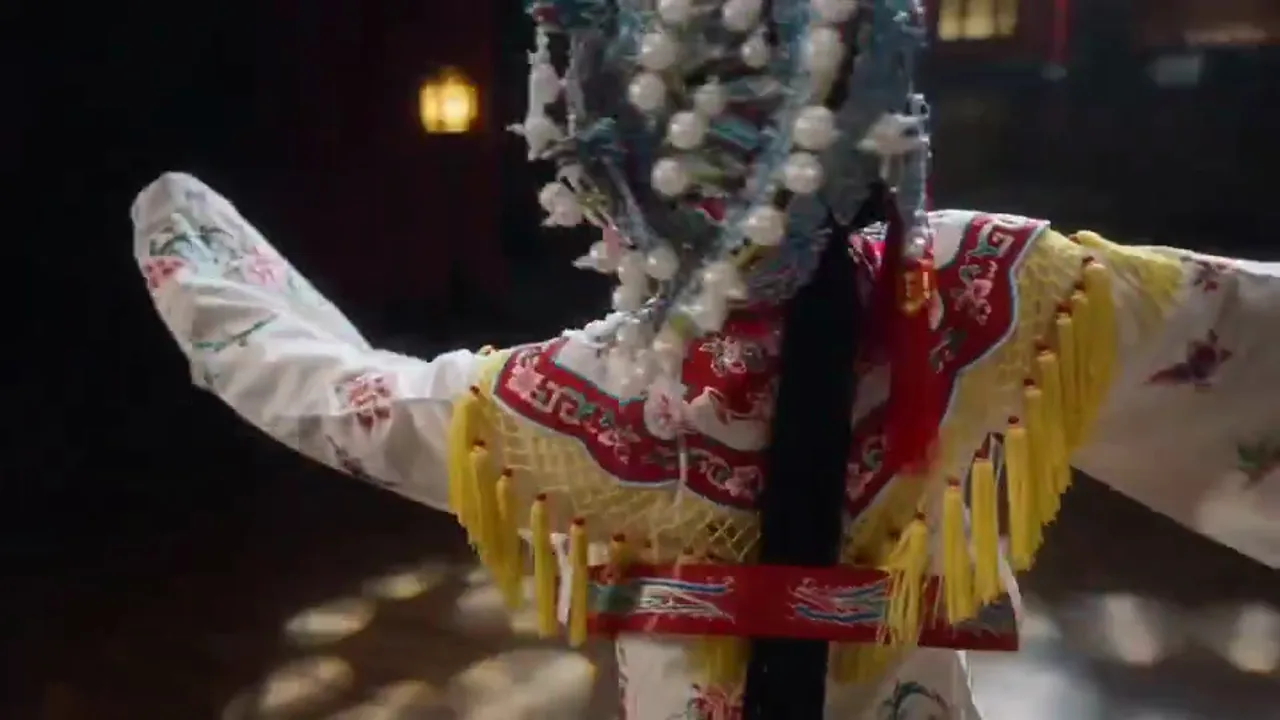
Useful when the team already knows the opening and landing frame and needs to sketch the motion path between them.
4.1k USESUse Template

NEW
Reference-led branded workflows
When brand characters, packaging, or visual standards must stay tight, reference-image control becomes more useful than prompt-only generation.
4.1k USESUse Template
Model comparison
How Veo 3.1 compares to other video generation options
Understand the specific advantages of Veo 3.1 for high-spec commercial video compared to other options.
vs
Альтернатива 01
Veo 3.1 vs Sora
Both Sora and Veo 3.1 sit in the high end of video generation, but with different emphases. Sora leans toward creative visual storytelling and surreal scene construction, while Veo 3.1 is stronger in commercial usability — more stable physical realism, more precise lighting control, and native audio generation make its output closer to traditionally shot commercial standards. If your goal is "a first draft ready to enter post-production," Veo 3.1 typically delivers a higher first-pass finish.
Best for brand ads, product films, and commercial social assets with high finish expectations, especially projects where the first version needs to enter the approval pipeline.
vs
Альтернатива 02
Veo 3.1 vs traditional commercial production
A traditional commercial video project takes weeks to months from script to final cut, involving locations, equipment, talent, and post-production. Veo 3.1 cannot fully replace this pipeline, but it changes where the process starts: you can generate a near-commercial-standard visual draft in minutes, using it to validate creative direction, convince clients, or serve as a dynamic storyboard reference for the final shoot. This moves the decision point from "you can only see the result after shooting" to "you can preview the direction before shooting begins."
Ideal for ad agencies needing rapid proposal visuals, brands looking to lower trial-and-error costs, and production teams needing dynamic storyboard references.
vs
Альтернатива 03
Veo 3.1 vs Seedance 1.5 Pro
Seedance 1.5 Pro has unique advantages in multilingual lip-sync and complex instruction comprehension, particularly suited for scenes requiring character dialogue. Veo 3.1 excels in overall visual quality — better lighting, more natural physical motion, and stronger scene construction. If your video does not require synchronized dialogue and prioritizes visual quality and cinematic feel, Veo 3.1 is the better choice. Both support audio generation but for different scenarios.
Choose Veo 3.1 when the brief prioritizes visual quality and cinematic feel (brand ads, product promos); choose Seedance 1.5 Pro when the core is character performance and dialogue (tutorials, news anchors).
User feedback
Feedback written around premium finish and higher-spec video drafting
These testimonials are not about crowning a universal winner. They focus on the real job of a Veo 3.1 page: whether it can deliver a more credible first cut earlier once the brief is already reasonably mature.
“We use Veo 3.1 when the brief is already clear because it is better for judging ad feel and shot finish directly instead of only producing a rough direction sketch.”

Brand marketing team
Campaign sequences
“On product videos, we care whether the first pass already looks like a commercial asset. Veo 3.1 gets us closer to that bar.”

Ecommerce brand content team
Product films
“It is not the right page for every high-frequency draft, but when we need a shot to feel more finished, Veo 3.1 is a stronger tier to reach for.”

Creative studio
Shot-tone validation
“We use Veo 3.1 when the brief is already clear because it is better for judging ad feel and shot finish directly instead of only producing a rough direction sketch.”
Brand marketing team
Campaign sequences
“On product videos, we care whether the first pass already looks like a commercial asset. Veo 3.1 gets us closer to that bar.”
Ecommerce brand content team
Product films
“It is not the right page for every high-frequency draft, but when we need a shot to feel more finished, Veo 3.1 is a stronger tier to reach for.”
Creative studio
Shot-tone validation
“We use Veo 3.1 when the brief is already clear because it is better for judging ad feel and shot finish directly instead of only producing a rough direction sketch.”
Brand marketing team
Campaign sequences
“On product videos, we care whether the first pass already looks like a commercial asset. Veo 3.1 gets us closer to that bar.”
Ecommerce brand content team
Product films
“It is not the right page for every high-frequency draft, but when we need a shot to feel more finished, Veo 3.1 is a stronger tier to reach for.”
Creative studio
Shot-tone validation
“We use Veo 3.1 when the brief is already clear because it is better for judging ad feel and shot finish directly instead of only producing a rough direction sketch.”
Brand marketing team
Campaign sequences
“On product videos, we care whether the first pass already looks like a commercial asset. Veo 3.1 gets us closer to that bar.”
Ecommerce brand content team
Product films
“It is not the right page for every high-frequency draft, but when we need a shot to feel more finished, Veo 3.1 is a stronger tier to reach for.”
Creative studio
Shot-tone validation
“If we are only filtering directions quickly, Veo is not the first stop. But if we want to judge camera, rhythm, and audiovisual mood right away, Veo 3.1 fits better.”

Independent directing team
Cinematic short-form work
“The value of Veo 3.1 for us is not pure speed. It is how much easier it makes high-spec product showcases to bring into a version the team can discuss in review.”

Product marketing lead
Premium showcase assets
“We use Veo 3.1 on the teaser work that matters more because it feels closer to building a real branded short rather than a quick internal mock.”
Social brand team
Teaser assets
“If we are only filtering directions quickly, Veo is not the first stop. But if we want to judge camera, rhythm, and audiovisual mood right away, Veo 3.1 fits better.”
Independent directing team
Cinematic short-form work
“The value of Veo 3.1 for us is not pure speed. It is how much easier it makes high-spec product showcases to bring into a version the team can discuss in review.”
Product marketing lead
Premium showcase assets
“We use Veo 3.1 on the teaser work that matters more because it feels closer to building a real branded short rather than a quick internal mock.”
Social brand team
Teaser assets
“If we are only filtering directions quickly, Veo is not the first stop. But if we want to judge camera, rhythm, and audiovisual mood right away, Veo 3.1 fits better.”
Independent directing team
Cinematic short-form work
“The value of Veo 3.1 for us is not pure speed. It is how much easier it makes high-spec product showcases to bring into a version the team can discuss in review.”
Product marketing lead
Premium showcase assets
“We use Veo 3.1 on the teaser work that matters more because it feels closer to building a real branded short rather than a quick internal mock.”
Social brand team
Teaser assets
“If we are only filtering directions quickly, Veo is not the first stop. But if we want to judge camera, rhythm, and audiovisual mood right away, Veo 3.1 fits better.”
Independent directing team
Cinematic short-form work
“The value of Veo 3.1 for us is not pure speed. It is how much easier it makes high-spec product showcases to bring into a version the team can discuss in review.”
Product marketing lead
Premium showcase assets
“We use Veo 3.1 on the teaser work that matters more because it feels closer to building a real branded short rather than a quick internal mock.”
Social brand team
Teaser assets
Гибкое ценообразование, масштабируемое в зависимости от объема
Начните бесплатно, а затем перейдите на более высокий уровень с помощью кредитов. Все планы без водяных знаков при ежемесячном или ежегодном выставлении счетов.
Lite
Для активных авторов
$10
$15/месГодовой итог $$120 · экономия ок. 33%
Ежемесячные кредиты600Действует 30 дней
Основные функции для авторов
- Основной процесс генерации видео и изображений
- Повышенный приоритет в очереди
- Лицензия на коммерческое использование
- Процесс экспорта в HD
- Инструменты улучшения промптов
- Многоразовые пресеты для авторов
- ИИ-улучшение видео
- ИИ-удаление фона видео
- Модель Seedream
- Поддержка ИИ-генерации видео
- Модель Seedance
- Модель Veo 3
- Модель Sora 2
- Модель Wan 2.5
- Без водяного знака
- Поддержка по email
Pro
Для команд производства
Самый популярныйСкидка до 50%
$14.5
$29/месГодовой итог $$174 · экономия ок. 50%
Ежемесячные кредиты1,500Действует 30 дней
Всё из Lite, плюс
- Всё из Lite
- Наивысший приоритет в очереди
- Лицензия на коммерческое использование
- Пресеты для командной работы
- Масштабирование для массового производства
- Мультимодельный творческий процесс
- Приоритетная поддержка клиентов
- Расширенное управление промптами
- Безопасное для бренда коммерческое производство
- Подходит для длительного производственного использования
- Приоритетная очередь генерации
- Модель Seedance 2.0
- Модель Seedream
- ИИ-улучшение видео
- ИИ-удаление фона видео
- Модель Veo 3
- Модель Sora 2
- Модель Seedance
- Модель Wan 2.5
- Без водяного знака
Max
Для команд производства
$124.5
$249/месГодовой итог $$1494 · экономия ок. 50%
Ежемесячные кредиты18,000Действует 30 дней
Всё из Pro, плюс
- Всё из Lite
- Наивысший приоритет в очереди
- Лицензия на коммерческое использование
- Пресеты для командной работы
- Масштабирование для массового производства
- Мультимодельный творческий процесс
- Приоритетная поддержка клиентов
- Расширенное управление промптами
- Безопасное для бренда коммерческое производство
- Подходит для длительного производственного использования
- Приоритетная очередь генерации
- Модель Seedance 2.0
- Модель Seedream
- ИИ-улучшение видео
- ИИ-удаление фона видео
- Модель Veo 3
- Модель Sora 2
- Модель Seedance
- Модель Wan 2.5
- Без водяного знака
- Более высокий ежемесячный лимит кредитов
- Выделенная поддержка аккаунта
- Приоритетный доступ к новым моделям
Для отмены подписки, вопросов по оплате или смены плана свяжитесь: wangneo276@gmail.com
Veo 3.1 FAQ
What capabilities are listed in the official Veo 3.1 docs?
Google’s Vertex AI docs explicitly list text-to-video, image-to-video, reference image to video, Veo video extension, and first-and-last-frame generation, along with 4-, 6-, and 8-second durations and 16:9 / 9:16 aspect ratios.
Why does this BestVid page default to text-to-video?
Because this page is positioned around a higher-spec prompt-first workflow for brand, advertising, and product-video tasks with a clearer brief. The official docs support more modes, but the default entry is designed around the most common premium drafting scenario first.
Does the current BestVid page also support start image, end frame, and reference images?
The current Veo 3.1 workflow keeps room for those extended controls, but the page still separates the broader official model scope from the exact product-layer exposure so it does not overstate what is already fully open.
What kinds of jobs fit Veo 3.1 best?
It is especially relevant for brand ads, product films, cinematic teasers, polished commercial social assets, scenes that need fuller audiovisual expression, and video tasks that expect a stronger first-pass finish.
Is Veo 3.1 simply stronger than every other model?
That is not the most truthful way to read it. A better interpretation is that Veo 3.1 fits higher-spec briefs with higher finish expectations, rather than being the default answer for every rapid draft, variant test, or still-extension task.
Why does this page default to 8 seconds at 1080p?
Because this Veo 3.1 page is better suited to judging fuller scene beats and a higher level of finish. An 8-second, 1080p default makes pacing, lighting, audiovisual sync, and commercial polish easier to evaluate early.
Начните бесплатно · Масштабируйте по мере необходимости
Воплотите вашу идею с BestVid: профессиональный генератор видео и изображений на основе ИИ
Начните создавать сегодня с нашим профессиональным генератором ИИ. Используйте текст в видео и изображение в видео для быстрого создания черновиков. Начните бесплатно, масштабируйте по мере необходимости.