Official 3.0 materials frame Kling as a unified multimodal video model rather than a single-mode upgrade
BestVidKling 3.0
Built for turning approved key visuals, product stills, character references, and storyboard frames into more stable motion-led video shots.
This page does not flatten Kling 3.0 into a vague “do-everything” video model. The more truthful framing is that Kling’s public 3.0 materials describe a unified multimodal video system, while BestVid currently exposes it through an image-to-video workflow, so the page centers on consistency, motion extension, and real jobs that start from still frames.
Model overview
What Kling 3.0 is and why it fits still-first video workflows
Kling’s official 3.0 release notes present Kling 3.0 as part of a unified multimodal video stack rather than a small single-mode upgrade. Public materials describe text-to-video, image-to-video, reference-to-video, native audio, multi-shot storytelling, element consistency, and up to 15-second generation together, which positions the model around fuller video production logic instead of isolated demo shots.
Kling 3.0
Kling 3.0 is one of the key video models in Kling’s official 3.0 lineup. The public release notes position it around a unified multimodal training framework covering text-to-video, image-to-video, reference-to-video, native audio, multi-shot storytelling, and up to 15-second generation; inside BestVid, the current live workflow is an image-to-video entry built around a starting frame with optional ending-frame control.
Fluxo de trabalho
Imagem para vídeo
Saída padrão
5s · 16:9 · 1080p
Melhor para
Product still to ad motionPoster and key-visual motion extensionCharacter references into short scenes
01
But a truthful model page has to separate official capability scope from the workflow BestVid actually exposes. In BestVid, `kling-3.0` currently lives as an image-to-video workflow that requires a starting image and supports optional ending-frame control plus audio toggles. So the real job of this page is not “try any prompt from zero.” It is “I already have a key still and want to turn it into a reviewable shot.”
02
That is a very common production reality for brand, ecommerce, advertising, and content teams. Product posters, key visuals, packaging shots, character references, and storyboard frames are often approved before video work begins. The next question is how the camera should move, whether the subject stays stable, whether the scene develops cleanly, and whether the shot lands on a useful ending frame. That is where Kling 3.0 becomes relevant.
03
So this page opens Kling 3.0 with a 16:9, 5-second, 1080p image-to-video preset. The goal is not to pretend the first run is final delivery. It is to push static assets into a motion clip that is stable, legible, and useful enough for review before the team commits to heavier iteration.
Kling 3.0Image-to-video defaultConsistency control
BestVid currently exposes Kling 3.0 through a live image-to-video workflow instead of claiming the full official capability set
A strong fit for motion work that begins from product stills, posters, character references, and storyboard frames
The current page supports audio toggles, 3-to-15-second duration, 720p / 1080p output, and optional ending-frame control
Usage guide
How to get the most out of Kling 3.0
From image preparation to output optimization, practical guidance for using Kling 3.0 more effectively on image-to-video tasks.
Guia de uso
Seção 1
Input image preparation: the key to output quality
Kling 3.0 image-to-video output quality is highly dependent on the quality and composition of the input image. Clear images with even lighting and prominent subjects work best. Avoid heavily compressed JPEGs or low-resolution assets. If your starting image has clear foreground and background layers, the model better understands which elements should move and which should remain stable. In terms of composition, leaving room for subject movement (avoid placing the subject at frame edges) produces more natural generated motion.
Quando aplicar
Aplique isso ao trabalhar com Kling 3.0 para reduzir tentativa e erro e alcançar um resultado mais rápido.
Próxima etapa
Continuar para a próxima seção: Best scenarios and known limitations
Core capabilities
Four Kling 3.0 capabilities this page should explain clearly
This section does not try to crown Kling 3.0 as a universal winner. It combines what the official materials clearly say with the narrower workflow BestVid actually has live today.
Recursos de geração de vídeo
Foco atual
Unified multimodal 3.0 video stack
Official materials describe Kling 3.0 as part of a unified multimodal training and cross-task video stack, which matters because the model is positioned as more than an isolated image-to-video tool.
Publicly spans multiple video tasks
Not framed as a single-mode tool
Requires clear separation between model scope and product access
O que isso resolve
Projetado para esclarecer como começar, o que controlar e como aproximar o rascunho inicial de uma direção utilizável.
Por que este layout funciona
A maioria dos visitantes quer primeiro a resposta prática: tipo de entrada, limite de capacidade e se a página se encaixa na tarefa que precisam entregar.
How to turn still assets into reviewable shots with Kling 3.0 in BestVid
The right starting point on this page is not a giant prompt block. It is deciding which still you are extending, how much subject consistency matters, and where the shot should move next.
01
Start with an approved still, not a casual placeholder reference
02
Add an ending frame when the final visual state matters
The current BestVid workflow supports an optional ending frame. For product ads, before-and-after transitions, or shots that need to land on a close-up, that extra target makes the motion goal much clearer.
03
Use the prompt for motion, camera language, and pacing rather than repeating what is already visible
Since the image already contains subject and composition, the prompt should focus on camera movement, subject behavior, environmental change, and audio mood.
04
Start with 5 seconds at 1080p, then decide whether the shot needs 8, 10, or 15 seconds
Official Kling 3.0 materials highlight flexible duration up to 15 seconds, but that does not mean every job should start there. Confirm the shot first, then extend only when the scene earns it.
bestvid.net/generate

These jobs show where Kling 3.0 is most useful in BestVid right now
As soon as a job already has a still-first starting point and the team cares about subject stability, shot progression, and moving from a visual board to motion, this page becomes more targeted than a generic video entry.
The clearest example is turning product stills into ad clips. Brand teams often already have packaging shots, posters, or studio photography. The next step is not to regenerate the product from scratch but to move the camera around it, push closer, and land on a reviewable motion ad.
Poster, key visual, and campaign extension work is another strong fit. Since the subject and composition are often already approved, the real question is whether motion preserves the original visual intent, keeps the subject stable, and holds onto the designed tension of the image.
For character-led content, anime references, IP visuals, and short narrative scenes, consistency matters more than inventing a brand-new shot every time. This page is better when the workflow begins from character sheets or scene keyframes and needs to turn them into a coherent motion beat.
Another practical case is moving from a storyboard start frame toward a target ending frame. Because BestVid currently supports an optional end frame here, jobs like “wide product shot into close-up,” “still character into turning motion,” or “empty room into character entrance” are especially natural fits.

HOT 🔥
Product still to ad motion
Start from approved product, packaging, or studio stills and create a motion ad clip the team can actually review.
8.4k USESUse Template

NEW
Poster and key-visual motion extension
Useful for extending key visuals, cover art, and posters into teasers, brand openings, and promo motion.
1.2k USESUse Template

NEW
Character references into short scenes
When the priority is keeping a character’s face, styling, and identity stable, Kling 3.0 is a more precise entry than a generic video page.
4.1k USESUse Template

NEW
Storyboard start-to-end progression
When both the opening and landing frame are known, this page is useful for sketching the motion logic between them.
4.1k USESUse Template
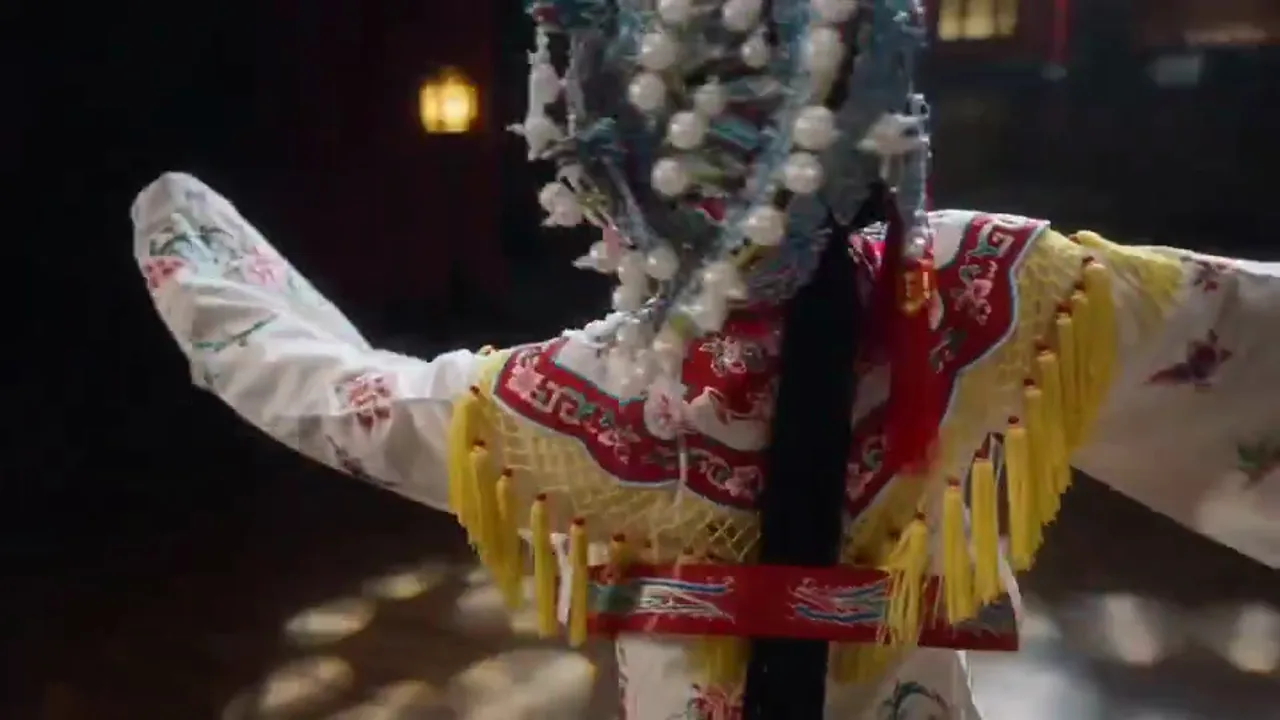
NEW
Ecommerce showcase and packaging close-ups
A good fit for pushing in on a product shot, testing lighting changes, and emphasizing material texture before committing to a heavier ad workflow.
4.1k USESUse Template

NEW
Still-first visuals into social video
When social content begins as a poster, cover image, or key visual, this page helps carry that asset into motion more smoothly.
4.1k USESUse Template
Model comparison
How Kling 3.0 compares to other video generation options
Understand the specific advantages of Kling 3.0 for image-to-video and consistency control compared to other options.
vs
Alternativa 01
Kling 3.0 vs Veo 3.1
Veo 3.1 excels at generating high-finish cinematic visuals from pure text prompts, but in image-to-video scenarios, Kling 3.0 offers stronger fidelity to the input image and tighter consistency control. Kling 3.0 supports starting-frame and optional ending-frame control, extending your static visual draft into motion more precisely without losing key visual elements during movement. If your starting point is an approved product still or poster, the Kling 3.0 image-to-video path is typically more reliable.
Best for video tasks starting from approved stills, key visuals, or product imagery, especially brand content requiring strict visual consistency.
vs
Alternativa 02
Kling 3.0 vs manual keyframe animation
In traditional motion workflows, turning a static image into motion requires manually setting keyframes, masks, and motion paths in After Effects or similar tools, potentially taking hours for a 5-10 second shot. Kling 3.0 uses AI to understand image content and motion intent, automatically generating natural motion trajectories and camera movements. While it cannot fully replace manual fine-tuning, as a motion preview and first-draft generation tool, the efficiency gain is orders of magnitude.
Ideal for scenarios requiring rapid conversion of large volumes of static assets into motion, such as e-commerce product animation and batch social media ad production.
vs
Alternativa 03
Kling 3.0 vs Seedance 1.5 Pro
Seedance 1.5 Pro differentiates with joint audio-visual generation and text-driven narrative capability, better suited for text-to-video workflows starting from scratch. Kling 3.0 focuses on consistency control in image-to-video, and its 15-second scene extension capability gives it an edge in tasks requiring longer scene segments. If your input is an image rather than a text description, Kling 3.0 is the more direct choice.
When you already have approved visual assets (product stills, storyboard first frames, character references), using Kling 3.0 image-to-video directly is more efficient than re-describing them in text.
User feedback
Feedback written around image-to-video, consistency, and shot progression
These testimonials avoid generic praise. They focus on a single question: when a team already has approved still assets, can Kling 3.0 move them into a more usable video version?
“Most of our projects already start with a hero product still. The value of this Kling 3.0 page is that it turns that still into a real shot instead of inventing a completely different product.”

Ecommerce visual team
Product motion development
“We used to worry that once a key visual started moving, the whole look would drift. Now we use Kling 3.0 for a first pass to see whether subject and composition stay intact before scaling up production.”

Brand creative studio
KV motion extension
“When we start from character sheets, this page is more useful than a pure prompt entry because the goal is not to reinvent the character. It is to make the character start performing.”

Short-form narrative team
Character consistency
“Most of our projects already start with a hero product still. The value of this Kling 3.0 page is that it turns that still into a real shot instead of inventing a completely different product.”
Ecommerce visual team
Product motion development
“We used to worry that once a key visual started moving, the whole look would drift. Now we use Kling 3.0 for a first pass to see whether subject and composition stay intact before scaling up production.”
Brand creative studio
KV motion extension
“When we start from character sheets, this page is more useful than a pure prompt entry because the goal is not to reinvent the character. It is to make the character start performing.”
Short-form narrative team
Character consistency
“Most of our projects already start with a hero product still. The value of this Kling 3.0 page is that it turns that still into a real shot instead of inventing a completely different product.”
Ecommerce visual team
Product motion development
“We used to worry that once a key visual started moving, the whole look would drift. Now we use Kling 3.0 for a first pass to see whether subject and composition stay intact before scaling up production.”
Brand creative studio
KV motion extension
“When we start from character sheets, this page is more useful than a pure prompt entry because the goal is not to reinvent the character. It is to make the character start performing.”
Short-form narrative team
Character consistency
“Most of our projects already start with a hero product still. The value of this Kling 3.0 page is that it turns that still into a real shot instead of inventing a completely different product.”
Ecommerce visual team
Product motion development
“We used to worry that once a key visual started moving, the whole look would drift. Now we use Kling 3.0 for a first pass to see whether subject and composition stay intact before scaling up production.”
Brand creative studio
KV motion extension
“When we start from character sheets, this page is more useful than a pure prompt entry because the goal is not to reinvent the character. It is to make the character start performing.”
Short-form narrative team
Character consistency
“The optional ending frame is genuinely useful for us, especially on ad beats where a product moves from an environmental shot into a close-up. It makes the target much clearer than using only a start frame.”

Advertising production team
End-frame-guided shots
“A lot of our teasers begin as cover art, and this page makes it easier to carry those covers into motion while preserving the original style.”

Social content team
Poster-to-teaser conversion
“Its biggest value for us is not one-click final delivery. It is getting already approved visual boards into the video review stage much faster.”
Founder office
Internal review assets
“The optional ending frame is genuinely useful for us, especially on ad beats where a product moves from an environmental shot into a close-up. It makes the target much clearer than using only a start frame.”
Advertising production team
End-frame-guided shots
“A lot of our teasers begin as cover art, and this page makes it easier to carry those covers into motion while preserving the original style.”
Social content team
Poster-to-teaser conversion
“Its biggest value for us is not one-click final delivery. It is getting already approved visual boards into the video review stage much faster.”
Founder office
Internal review assets
“The optional ending frame is genuinely useful for us, especially on ad beats where a product moves from an environmental shot into a close-up. It makes the target much clearer than using only a start frame.”
Advertising production team
End-frame-guided shots
“A lot of our teasers begin as cover art, and this page makes it easier to carry those covers into motion while preserving the original style.”
Social content team
Poster-to-teaser conversion
“Its biggest value for us is not one-click final delivery. It is getting already approved visual boards into the video review stage much faster.”
Founder office
Internal review assets
“The optional ending frame is genuinely useful for us, especially on ad beats where a product moves from an environmental shot into a close-up. It makes the target much clearer than using only a start frame.”
Advertising production team
End-frame-guided shots
“A lot of our teasers begin as cover art, and this page makes it easier to carry those covers into motion while preserving the original style.”
Social content team
Poster-to-teaser conversion
“Its biggest value for us is not one-click final delivery. It is getting already approved visual boards into the video review stage much faster.”
Founder office
Internal review assets
Preços flexíveis que se dimensionam com a saída
Comece grátis e depois atualize com créditos. Todos os planos permanecem sem marca d'água com faturamento mensal ou anual.
Lite
Para criadores regulares
$10
$15/mêsTotal anual $$120 · economize aprox. 33%
Créditos mensais600Válido por 30 dias
Recursos essenciais para criadores
- Fluxo de trabalho principal de geração de vídeo e imagem
- Maior prioridade na fila
- Licença de uso comercial
- Fluxo de trabalho de exportação HD
- Ferramentas de aprimoramento de prompts
- Presets de criador reutilizáveis
- Aprimorador de vídeo com IA
- Removedor de fundo de vídeo com IA
- Modelo Seedream
- Suporte a geração de vídeo com IA
- Modelo Seedance
- Modelo Veo 3
- Modelo Sora 2
- Modelo Wan 2.5
- Sem marca d'água
- Suporte por e-mail
Pro
Para equipes de produção
Mais popularEconomize até 50%
$14.5
$29/mêsTotal anual $$174 · economize aprox. 50%
Créditos mensais1,500Válido por 30 dias
Tudo do Lite, mais
- Tudo do Lite
- Maior prioridade na fila
- Licença de uso comercial
- Presets de colaboração em equipe
- Escalabilidade para produção em alto volume
- Fluxo de trabalho criativo multimodelo
- Suporte ao cliente prioritário
- Controles avançados de prompts
- Produção comercial segura para marcas
- Uso de produção de longa duração
- Fila de geração prioritária
- Modelo Seedance 2.0
- Modelo Seedream
- Aprimorador de vídeo com IA
- Removedor de fundo de vídeo com IA
- Modelo Veo 3
- Modelo Sora 2
- Modelo Seedance
- Modelo Wan 2.5
- Sem marca d'água
Max
Para equipes de produção
$124.5
$249/mêsTotal anual $$1494 · economize aprox. 50%
Créditos mensais18,000Válido por 30 dias
Tudo do Pro, mais
- Tudo do Lite
- Maior prioridade na fila
- Licença de uso comercial
- Presets de colaboração em equipe
- Escalabilidade para produção em alto volume
- Fluxo de trabalho criativo multimodelo
- Suporte ao cliente prioritário
- Controles avançados de prompts
- Produção comercial segura para marcas
- Uso de produção de longa duração
- Fila de geração prioritária
- Modelo Seedance 2.0
- Modelo Seedream
- Aprimorador de vídeo com IA
- Removedor de fundo de vídeo com IA
- Modelo Veo 3
- Modelo Sora 2
- Modelo Seedance
- Modelo Wan 2.5
- Sem marca d'água
- Limite mensal de créditos mais alto
- Suporte de conta dedicado
- Acesso prioritário a novos modelos
Para cancelamentos, dúvidas de cobrança ou alterações de plano, entre em contato: wangneo276@gmail.com
Kling 3.0 FAQ
What kind of model is Kling 3.0?
According to the official 3.0 release notes, Kling 3.0 is part of a unified multimodal video stack. Public materials mention text-to-video, image-to-video, reference-to-video, native audio, multi-shot storytelling, and generation up to 15 seconds.
Why does this BestVid page default to image-to-video instead of text-to-video?
Because the current live `kling-3.0` workflow in BestVid is image-to-video and requires a starting image. The page preset needs to match the real product instead of pretending that every broader official capability is already fully exposed here.
Does official Kling 3.0 support more modes than this page shows?
Yes. The official release notes explicitly mention text-to-video, reference-to-video, native audio, and multi-shot capabilities beyond this single entry. But this BestVid page is first a real image-to-video workflow, so it keeps the broader model scope separate from the features the current page actually exposes.
When should I upload an ending frame?
Upload an ending frame when the shot needs to land on a specific visual state, such as a product moving from a wide shot into close-up, a character turning from stillness, or a scene changing from empty to occupied. It makes the motion target much clearer.
What tasks does Kling 3.0 fit especially well?
It is especially relevant for turning product stills into ad shots, extending posters and key visuals into motion, moving character references into short scenes, bridging storyboard start and end frames, and any still-first workflow that needs to become a video draft.
Should this page be read as BestVid exposing the full official Kling 3.0 capability set already?
No. The more accurate reading is that this page explains Kling 3.0 using the official 3.0 materials, while the current BestVid product layer exposes an image-to-video workflow with optional ending-frame control, audio toggles, flexible duration, and resolution choices.
Comece grátis · Escale conforme necessário
Transforme sua visão com BestVid: o gerador profissional de vídeos e imagens com IA
Comece a criar hoje com nosso gerador profissional de IA. Use texto para vídeo e imagem para vídeo para produzir rascunhos rapidamente. Comece grátis, escale conforme necessário.