Visual quality and detail are perceptibly improved over Wan 2.6
BestVidWan 2.7
The next generation of the Wan video family, with meaningful improvements in visual quality, motion coherence, and complex prompt understanding over Wan 2.6.
This page does not present Wan 2.7 as a do-everything model. It stays within the production-oriented positioning of the Wan family, but brings perceptible improvements in visual detail, temporal consistency, and the ability to follow more complex instructions compared to Wan 2.6.
Model overview
What Wan 2.7 is and what it improves over 2.6
Wan 2.7 is an iterative upgrade of the Wan video model family. It does not change the production-oriented, tool-friendly positioning of the Wan line, but brings perceptible improvements in visual quality, motion plausibility, and prompt-execution accuracy.
Wan 2.7
Wan 2.7 is the next-generation video model in the Wan family. Compared to Wan 2.6, it improves visual quality, physical motion plausibility, temporal consistency, and prompt-understanding depth. The page starts from text-to-video by default and switches to image-to-video once a still is uploaded. It currently supports 5 / 10 / 15-second durations and 720p / 1080p output.
Alur Kerja
Teks ke Video
Output Default
5s · 16:9 · 720p
Terbaik untuk
Brand product showcaseMulti-SKU batch contentCharacter and performance scenes
01
The most visible change is in image detail. Sharper textures, smoother lighting transitions, and richer color depth mean product showcases and brand content get a higher first-pass visual finish without extra post-production.
02
Motion improvements matter just as much. Frame jumps, limb distortions, and physically implausible movements that occasionally appeared in Wan 2.6 are noticeably reduced in 2.7. This is especially valuable for tasks that need stable continuous motion, such as product-reveal transitions and character blocking.
03
Prompt understanding is deeper too. When a scene involves multiple subjects, complex spatial relationships, and specific action descriptions, Wan 2.7 is better at combining these elements coherently rather than rendering them in isolation or contradiction.
Wan 2.7Quality upgradeText-to-video default
Better motion coherence with fewer frame jumps and limb distortions
Stronger understanding of complex scene descriptions and multi-subject interactions
Keeps the text/image dual-start workflow and the same production-friendly positioning as Wan 2.6
Usage guide
Best practices for Wan 2.7
Make the most of Wan 2.7 quality and understanding improvements to boost video production efficiency.
Panduan Penggunaan
Bagian 1
Prompt tips: you can write more detail than with 2.6
Wan 2.7 responds better to complex prompts than 2.6, so you can be more detailed. Recommended structure: "subject description → action and movement → environment and lighting → camera and composition." Add specific spatial relationships ("on the left," "in the background"), material descriptions ("matte metal," "clear glass"), and lighting types ("soft side light," "backlit silhouette"). Chinese prompts can go to 80-120 characters, English to 40-60 words. But over-stuffing still hurts — every detail should contribute visually.
Kapan Menerapkan
Terapkan ini saat bekerja dengan Wan 2.7 untuk mengurangi coba-coba dan mencapai hasil lebih cepat.
Langkah Berikutnya
Lanjut ke bagian berikutnya: Upgrade strategy: what to watch when migrating from 2.6
Core capabilities
Key improvements in Wan 2.7: quality, motion, and understanding
The same production-friendly workflow, but with better output quality at every step.
Kemampuan Pembuatan Video
Fokus Saat Ini
Visual quality upgrade
Finer textures, more natural lighting, richer color depth — the first-pass visual finish is meaningfully higher.
Texture detail
Lighting transitions
Color fidelity
Masalah yang Diselesaikan
Dirancang untuk memperjelas cara memulai, apa yang dikendalikan, dan cara memindahkan draf awal lebih dekat ke arah yang dapat digunakan.
Mengapa Tata Letak Ini Berfungsi
Sebagian besar pengunjung menginginkan jawaban praktis terlebih dahulu: tipe input, batas kemampuan, dan apakah halaman sesuai dengan tugas yang perlu mereka kirim.
How to use Wan 2.7 for higher-quality video drafting
The workflow mirrors Wan 2.6, but higher visual and motion quality means the first draft is closer to usable.
01
Describe the scene, subjects, and actions in a structured prompt
02
Start with 5-second 720p text-to-video to validate direction
Get the scene composition, action pacing, and overall mood right first, then decide whether to increase duration or resolution.
03
Switch to image-to-video with stills for more consistent visual extension
Wan 2.7 preserves input image style and detail better in image-to-video mode, useful for animating brand assets and product stills.
04
Upgrade to 10/15 seconds or 1080p after direction is confirmed
The quality improvement means 1080p output is more worthwhile than with 2.6, but validating direction at lower spec first is still recommended.
bestvid.net/generate
These jobs benefit directly from Wan 2.7
Every job that previously fit Wan 2.6 now gets better first-draft quality with 2.7.
Product showcases and brand short videos benefit most directly. Finer visual detail and more natural lighting mean product videos reach a higher usable standard without extra post-production.
Character and performance content also benefits from the motion coherence upgrade. More stable blocking, more natural actions, and fewer of the limb distortions that occasionally appeared in 2.6.
Complex scenes with multiple elements — multi-product comparison displays, multi-character interactions, or narrative shots that must convey spatial relationships and action simultaneously — are easier to get right in one pass with Wan 2.7 improved instruction understanding.
Batch production and high-frequency drafting remain well served. Wan 2.7 keeps the utility-first positioning and throughput-friendly nature of 2.6 while raising the baseline quality of each generation, which means less rework.

HOT 🔥
Brand product showcase
Finer visuals bring product texture, material, and lighting closer to directly usable quality on the first pass.
8.4k USESUse Template

NEW
Multi-SKU batch content
Keeps the high-frequency throughput advantage of Wan 2.6 while raising the baseline quality of each clip.
1.2k USESUse Template

NEW
Character and performance scenes
Motion coherence improvements make character blocking, expression changes, and limb movements more natural and believable.
4.1k USESUse Template

NEW
Complex narrative shots
Scenes with multiple subjects, actions, and layered spatial relationships are easier to generate correctly in one pass.
4.1k USESUse Template
NEW
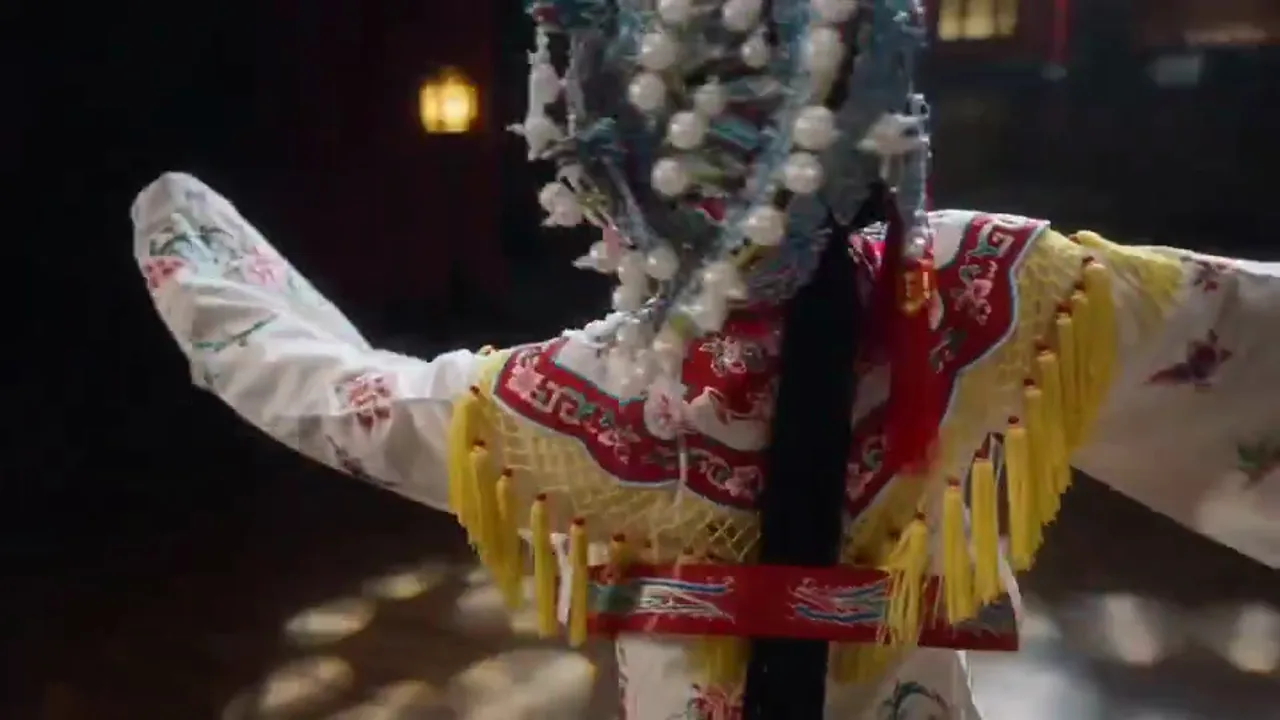
Still to motion
Better input-image style preservation in image-to-video mode, ideal for animating brand key visuals and product stills.
4.1k USESUse Template

NEW
Ecommerce marketing assets
Selling-point showcases, promo clips, and social media assets reach a higher publishable standard on the first draft.
4.1k USESUse Template
Model comparison
How Wan 2.7 compares to other video models
Understand where Wan 2.7 stands in the current video model landscape.
vs
Alternatif 01
Wan 2.7 vs Wan 2.6
Wan 2.7 is comprehensively better than 2.6 in visual detail, motion coherence, and complex instruction execution. Every generation under the same workflow achieves a higher baseline. The only advantage of 2.6 would be lower credit cost if dynamic pricing applies.
Nearly all Wan 2.6 use cases can upgrade to 2.7 directly.
vs
Alternatif 02
Wan 2.7 vs Kling 3.0
Kling 3.0 is better suited to image-first workflows and scenes that need strong motion impact. Wan 2.7 is better for text-first drafting, structured content, and batch production, with natural advantages in Chinese semantics and Eastern aesthetic scenes.
They complement each other in multi-model workflows: Wan validates structure and content, Kling polishes motion and impact.
vs
Alternatif 03
Wan 2.7 vs Seedance 2.0
Seedance 2.0 leans more toward cinematic expression and narrative storytelling, suited to creative content that needs camera language and mood. Wan 2.7 is more utilitarian, better for structured, batch-oriented, information-led video tasks.
Choose Seedance for brand films and emotional narratives, Wan for product showcases and high-frequency production.
User feedback
Real feedback after upgrading from Wan 2.6 to 2.7
These testimonials focus on actual improvements over 2.6, not vague model rankings.
“The most noticeable change after upgrading to 2.7 is the visual detail — product textures and lighting are usable without extra adjustment.”

Ecommerce brand team
Product videos
“The limb distortions that occasionally appeared in 2.6 are almost gone in 2.7 — character movements look much more natural.”

Content creation team
Character scenes
“The most noticeable change after upgrading to 2.7 is the visual detail — product textures and lighting are usable without extra adjustment.”
Ecommerce brand team
Product videos
“The limb distortions that occasionally appeared in 2.6 are almost gone in 2.7 — character movements look much more natural.”
Content creation team
Character scenes
“The most noticeable change after upgrading to 2.7 is the visual detail — product textures and lighting are usable without extra adjustment.”
Ecommerce brand team
Product videos
“The limb distortions that occasionally appeared in 2.6 are almost gone in 2.7 — character movements look much more natural.”
Content creation team
Character scenes
“The most noticeable change after upgrading to 2.7 is the visual detail — product textures and lighting are usable without extra adjustment.”
Ecommerce brand team
Product videos
“The limb distortions that occasionally appeared in 2.6 are almost gone in 2.7 — character movements look much more natural.”
Content creation team
Character scenes
“When writing more complex scene descriptions, 2.7 clearly understands the multi-subject composition and spatial relationships I need.”

Marketing planning team
Brand assets
“The workflow is the same, but the baseline of each clip is better — noticeably fewer redo rounds.”

Independent creator
Batch content
“When writing more complex scene descriptions, 2.7 clearly understands the multi-subject composition and spatial relationships I need.”
Marketing planning team
Brand assets
“The workflow is the same, but the baseline of each clip is better — noticeably fewer redo rounds.”
Independent creator
Batch content
“When writing more complex scene descriptions, 2.7 clearly understands the multi-subject composition and spatial relationships I need.”
Marketing planning team
Brand assets
“The workflow is the same, but the baseline of each clip is better — noticeably fewer redo rounds.”
Independent creator
Batch content
“When writing more complex scene descriptions, 2.7 clearly understands the multi-subject composition and spatial relationships I need.”
Marketing planning team
Brand assets
“The workflow is the same, but the baseline of each clip is better — noticeably fewer redo rounds.”
Independent creator
Batch content
Harga fleksibel yang diskalakan sesuai output
Mulai gratis, lalu tingkatkan dengan kredit. Semua paket tetap bebas watermark dengan penagihan bulanan atau tahunan.
Lite
Untuk kreator reguler
$10
$15/blnTotal tahunan $$120 · hemat sekitar 33%
Kredit bulanan600Berlaku 30 hari
Fitur inti untuk kreator
- Alur kerja inti pembuatan video dan gambar
- Prioritas antrean lebih tinggi
- Lisensi penggunaan komersial
- Alur kerja ekspor HD
- Alat peningkatan prompt
- Preset kreator yang dapat digunakan ulang
- Penambah video AI
- Penghapus latar belakang video AI
- Model Seedream
- Dukungan pembuatan video AI
- Model Seedance
- Model Veo 3
- Model Sora 2
- Model Wan 2.5
- Tanpa watermark
- Dukungan email
Pro
Untuk tim produksi
TerpopulerHemat hingga 50%
$14.5
$29/blnTotal tahunan $$174 · hemat sekitar 50%
Kredit bulanan1,500Berlaku 30 hari
Semua fitur Lite, ditambah
- Semua fitur Lite
- Prioritas antrean tertinggi
- Lisensi penggunaan komersial
- Preset kolaborasi tim
- Skalabilitas produksi volume tinggi
- Alur kerja kreatif multi-model
- Dukungan pelanggan prioritas
- Kontrol prompt lanjutan
- Produksi komersial aman untuk merek
- Penggunaan produksi jangka panjang
- Antrean generasi prioritas
- Model Seedance 2.0
- Model Seedream
- Penambah video AI
- Penghapus latar belakang video AI
- Model Veo 3
- Model Sora 2
- Model Seedance
- Model Wan 2.5
- Tanpa watermark
Max
Untuk tim produksi
$124.5
$249/blnTotal tahunan $$1494 · hemat sekitar 50%
Kredit bulanan18,000Berlaku 30 hari
Semua fitur Pro, ditambah
- Semua fitur Lite
- Prioritas antrean tertinggi
- Lisensi penggunaan komersial
- Preset kolaborasi tim
- Skalabilitas produksi volume tinggi
- Alur kerja kreatif multi-model
- Dukungan pelanggan prioritas
- Kontrol prompt lanjutan
- Produksi komersial aman untuk merek
- Penggunaan produksi jangka panjang
- Antrean generasi prioritas
- Model Seedance 2.0
- Model Seedream
- Penambah video AI
- Penghapus latar belakang video AI
- Model Veo 3
- Model Sora 2
- Model Seedance
- Model Wan 2.5
- Tanpa watermark
- Batas kredit bulanan lebih tinggi
- Dukungan akun khusus
- Akses prioritas ke model baru
Untuk pembatalan, pertanyaan tagihan, atau perubahan paket, hubungi wangneo276@gmail.com
Wan 2.7 FAQ
What is the biggest change in Wan 2.7 compared to 2.6?
Three areas: finer visual quality (textures, lighting, color), better motion coherence (fewer jumps and distortions), and more accurate complex-prompt understanding (multi-subject, spatial relationships).
How does the workflow differ from Wan 2.6?
The workflow is identical: text-to-video by default, image-to-video on still upload, 5 / 10 / 15 seconds, and 720p / 1080p. The change is higher output quality at every step.
When should I choose Wan 2.7 over 2.6?
If you were using Wan 2.6, you can generally switch to 2.7 directly. Every task Wan 2.6 handled well, 2.7 handles at equal or better quality.
What kinds of jobs fit Wan 2.7 best?
Product showcases, brand short videos, batch SKU content, character scenes, marketing assets, educational demos, and any video production job that needs stable high-frequency output.
Why is the default still 5 seconds at 720p?
Because the first production step is still direction validation — scene composition, action pacing, and overall mood. Upgrading to longer duration or 1080p after confirmation is more economical.
Mulai gratis · Skalakan sesuai kebutuhan
Wujudkan visi Anda dengan BestVid: pembuat video dan gambar AI profesional
Mulai membuat hari ini dengan pembuat AI profesional kami. Gunakan text-to-video dan image-to-video untuk menghasilkan draf dengan cepat. Mulai gratis, skalakan sesuai kebutuhan.