Exposed today as a prompt-first video workflow rather than an image-first page
BestVid Kling O3
A more motion-heavy, prompt-first Kling page built to get the opening, action beats, and scene energy on screen fast.
This page does not turn Kling O3 into a vague “better at everything” claim. The truthful framing is that BestVid currently exposes it as a text-first Kling workflow with short durations, optional audio, and a stronger fit for speed, motion, and social-first scene energy.
Model overview
What Kling O3 is and what this page is actually built to solve
Inside BestVid, Kling O3 has a clear role: it is not an image-first extension page, but a more text-led Kling workflow. That means the page serves teams that already know the shot style, motion beat, and pacing they want, but do not yet have a locked still asset.
Kling O3
Kling O3 is the more prompt-first Kling page currently exposed in BestVid. Compared with the image-led Kling 3.0 workflow, this page is better for starting from text and validating action, pacing, opening impact, and social-first scene energy. The live workflow currently supports 3- to 15-second runs, 720p / 1080p output, 16:9 / 9:16 / 1:1, and an optional audio toggle.
工作流程
文字轉影片
預設輸出
5s · 16:9 · 720p
最適合
First-three-second social hook testingAction-led promo momentsEvent teaser openings
01
That changes how the page should be written. A truthful model page should not only say that the model is “good.” It should explain the actual working slot it occupies. Kling O3 makes the most sense in motion-heavy short-form scenes, social-first opening tests, action-led moments, and drafts where energy matters early.
02
For growth teams, content teams, and independent creators, that kind of prompt-first page is practical. The first thing many teams need to validate is not whether the whole story is finished, but whether the opening hits, the movement feels alive, and the scene starts with enough force. Kling O3 fits that first-round judgment well.
03
BestVid currently opens the page with a 16:9, 5-second, 720p text-to-video preset. That is not a downgrade. It keeps the page aligned with the real job it is solving: testing openings and motion direction quickly enough to make the next decision.
Kling O3Text-to-video defaultMotion-heavy scenes
Useful for action-led openings, short-form hooks, teasers, and motion-heavy social scenes
Supports 3- to 15-second runs, 720p / 1080p, and the core social-first aspect ratios
Keeps an optional audio toggle so teams can test fuller pacing ideas early
Usage Guide
Best Practices for Kling O3
Master Kling O3 prompt techniques and workflows to maximize output quality.
使用指南
區塊 1節
Prompt Tips: Lead with Action Descriptions
Kling O3 is highly responsive to action verbs and motion-direction cues. Start your prompt with explicit motion types (e.g., "rapid pan," "spinning dolly-in," "explosive reveal"), then layer in scene and style details. Avoid long static descriptions; short-sentence dynamic commands work best. Testing shows 3-5 stacked motion cues produce richer dynamics than a single description.
適用時機
使用 Kling O3 時,本節建議可幫助您減少試誤、更快完成作品。
下一步
繼續閱讀下一節:Strengths and Limitations
Core capabilities
What this Kling O3 page really emphasizes: pace, motion, and prompt-first work
This is not the place for every video job. It is a more specific work slot for testing openings, motion, and social-first pace quickly.
影片生成功能
目前重點
Prompt-first Kling drafting
The page opens from text-to-video by default, which fits teams that have shot direction and motion ideas before they have an approved still.
Prompt first
Test the opening early
No still asset required
解決的問題
設計用於釐清如何開始、控制什麼,以及如何將初稿推進到可用方向。
版面配置的優勢
大多數訪客首先需要實用答案:輸入類型、功能邊界,以及此頁面是否符合他們實際需要交付的任務。
How to use Kling O3 to validate opening impact and motion pace quickly
This page works best when the prompt becomes a clear motion instruction and camera intent, rather than a long wall of backstory.
01
Start by defining whether you are testing an opening, an action beat, a transition, or pace
Kling O3 is more useful when the variable is concrete. If the real question is the first three seconds, a movement pose, or a camera push, name that directly.
02
Write the subject motion, camera movement, and pacing cues clearly
Generic adjectives are the least useful input here. Motion direction, camera behavior, speed, and emotional intensity carry much more value.
03
Use the 5-second, 720p default first, then decide whether the scene deserves a heavier pass
Judge the motion energy and pacing first, then decide whether to move to 1080p, a longer duration, or a different workflow page.
04
Only turn on audio when the scene needs fuller rhythm testing
Audio does not need to be on for every run, but once the job becomes a teaser or pacing test, the toggle starts to matter more.
bestvid.net/generate

These jobs fit Kling O3 better than an image-led extension workflow
When the core job is pace, movement, and a stronger opening rather than still-image consistency, Kling O3 becomes more useful.
The clearest fit is social opening testing. Teams want to compare multiple first-three-second concepts, different movement beats, and several shot starts. The goal is not to finish the whole piece, but to eliminate weak directions early.
Action-led short scenes, sports or lifestyle motion clips, trend-driven teasers, and trailers that depend on stronger impact also fit this page well. The point is to get the energy on screen before obsessing over maximum finish.
For brand teams, Kling O3 can also work on younger, faster, more direct short-form drafts. Think launch teasers, campaign openings, event clips, and social-first promotions where camera force matters more than a slow premium look.
So the real job here is not universal generation. It is giving you a more prompt-first, motion-led Kling page when the brief depends on opening power and a more aggressive first impression.

热门 🔥
First-three-second social hook testing
Useful for comparing different opening rhythms, motion directions, and shot starts to see which version hooks faster.
8.4k 次使用使用模板

新内容
Action-led promo moments
A better fit for sports, trend-led promos, fast product moments, and motion-heavy draft scenes.
1.2k 次使用使用模板

新内容
Event teaser openings
Pre-launch, countdown, and event teaser work fits when the first need is to get energy and atmosphere on screen quickly.
4.1k 次使用使用模板

新内容
Launch-video opening drafts
When a launch video first needs an opening with force rather than a full long-form build, Kling O3 is more direct.
4.1k 次使用使用模板
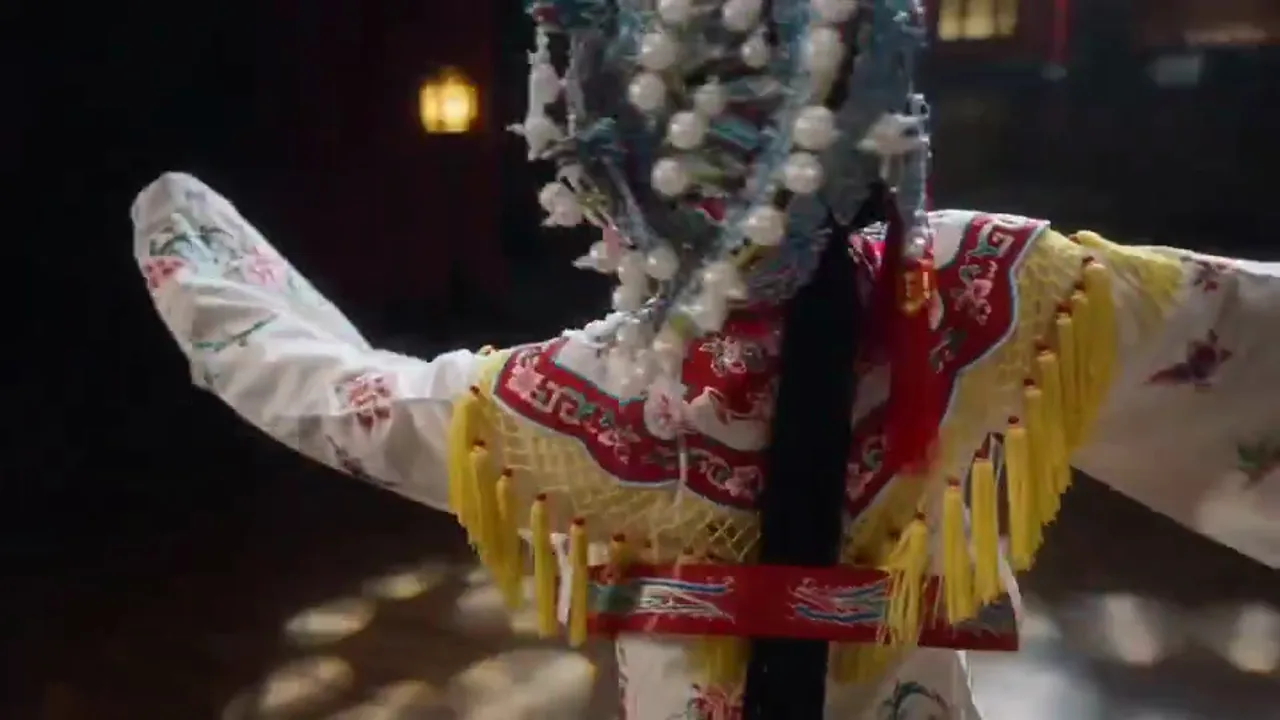
新内容
Music-driven rhythm testing
Once the scene needs fuller teaser-stage rhythm testing, the audio toggle makes the workflow more useful.
4.1k 次使用使用模板

新内容
Youthful brand-content drafts
A strong fit for shorter, faster, more impact-driven brand clips rather than slow premium brand storytelling.
4.1k 次使用使用模板
Model Comparison
How Kling O3 Compares to Other Video Models
Understand where Kling O3 excels in fast-action and dynamic-effect video generation.
vs
替代方案 01
Kling O3 vs Veo 3.1
Kling O3 outperforms in high-energy dynamic transitions and fast-paced action scenes with faster generation speed. Veo 3.1 favors stable narrative and long shots but responds slower in explosive-action scenarios.
Best for creators who need rapid iteration on action clips, ad transitions, or short-video effects.
vs
替代方案 02
Kling O3 vs Traditional Video Editing
Traditional workflows require shot footage, After Effects keyframing, and heavy render time. Kling O3 generates dynamic-transition video from a single prompt, compressing days of work into minutes.
Ideal for solo creators and small marketing teams without dedicated post-production staff.
vs
替代方案 03
Kling O3 vs Kling 3.0
O3 is an optimized iteration of Kling 3.0 with notable gains in inference speed and motion coherence, especially in multi-character interaction and rapid camera-movement scenarios.
If you are already using Kling 3.0, O3 is a direct upgrade, especially for high-frequency output demands.
User feedback
Feedback written around motion-heavy openings and fast-paced video work
These testimonials focus less on luxurious finals and more on whether Kling O3 actually helps teams compare openings, motion, and pacing faster.
“We use Kling O3 most for first-three-second testing because it is better for judging action and impact before spending heavily.”

Growth ad team
Opening tests
“When the brief needs a sharper teaser, this page is more useful for finding the direction first than trying to build a full film immediately.”

Streetwear content team
Teaser drafting
“We use Kling O3 most for first-three-second testing because it is better for judging action and impact before spending heavily.”
Growth ad team
Opening tests
“When the brief needs a sharper teaser, this page is more useful for finding the direction first than trying to build a full film immediately.”
Streetwear content team
Teaser drafting
“We use Kling O3 most for first-three-second testing because it is better for judging action and impact before spending heavily.”
Growth ad team
Opening tests
“When the brief needs a sharper teaser, this page is more useful for finding the direction first than trying to build a full film immediately.”
Streetwear content team
Teaser drafting
“We use Kling O3 most for first-three-second testing because it is better for judging action and impact before spending heavily.”
Growth ad team
Opening tests
“When the brief needs a sharper teaser, this page is more useful for finding the direction first than trying to build a full film immediately.”
Streetwear content team
Teaser drafting
“I like this page because it fits motion and pacing tests without forcing me to prepare a still first.”

Independent creator
Action short drafts
“We use Kling O3 to see whether an event opening is strong enough first, and only then decide if it deserves a heavier version.”

Event marketing team
Pre-launch video
“I like this page because it fits motion and pacing tests without forcing me to prepare a still first.”
Independent creator
Action short drafts
“We use Kling O3 to see whether an event opening is strong enough first, and only then decide if it deserves a heavier version.”
Event marketing team
Pre-launch video
“I like this page because it fits motion and pacing tests without forcing me to prepare a still first.”
Independent creator
Action short drafts
“We use Kling O3 to see whether an event opening is strong enough first, and only then decide if it deserves a heavier version.”
Event marketing team
Pre-launch video
“I like this page because it fits motion and pacing tests without forcing me to prepare a still first.”
Independent creator
Action short drafts
“We use Kling O3 to see whether an event opening is strong enough first, and only then decide if it deserves a heavier version.”
Event marketing team
Pre-launch video
隨輸出量靈活調整的定價
免費開始,然後使用點數升級。每個方案皆支援按月或按年計費,且完全無浮水印。
Starter
適合穩定創作需求
$10
$15/月年付總價 $$120 · 約省 33%
每月額度600
30 天有效
Cost per 100 credits
$1.67創作者核心功能
- 核心影片與圖片生成工作流
- 更高佇列優先順序
- 支援商業使用授權
- 高清匯出工作流
- 提示詞增強工具
- 可重複使用的創作預設
- AI 影片增強器
- AI 影片背景移除
- Seedream 模型
- 支援 AI 影片生成
- Seedance 模型
- Veo 3 模型
- Sora 2 模型
- Wan 2.5 模型
- 無浮水印匯出
- 電子郵件支援
Premium
適合團隊與高頻產出
最受歡迎最高省 50%
$14.5
$29/月年付總價 $$174 · 約省 50%
每月額度1,500
30 天有效
Cost per 100 credits
$0.97包含 Lite 全部功能,另外
- 包含 Lite 全部功能
- 最高佇列優先順序
- 支援商業使用授權
- 團隊協作範本預設
- 支援高頻大批量產出
- 多模型創作工作流
- 優先客戶支援
- 進階提示詞控制
- 支援品牌級商業製作
- 更適合長時段生產使用
- 優先生成佇列
- Seedance 2.0 模型
- Seedream 模型
- AI 影片增強器
- AI 影片背景移除
- Veo 3 模型
- Sora 2 模型
- Seedance 模型
- Wan 2.5 模型
- 無浮水印匯出
Advanced
適合團隊與高頻產出
$124.5
$249/月年付總價 $$1494 · 約省 50%
每月額度18,000
30 天有效
Cost per 100 credits
$0.69包含 Pro 全部功能,另外
- 包含 Lite 全部功能
- 最高佇列優先順序
- 支援商業使用授權
- 團隊協作範本預設
- 支援高頻大批量產出
- 多模型創作工作流
- 優先客戶支援
- 進階提示詞控制
- 支援品牌級商業製作
- 更適合長時段生產使用
- 優先生成佇列
- Seedance 2.0 模型
- Seedream 模型
- AI 影片增強器
- AI 影片背景移除
- Veo 3 模型
- Sora 2 模型
- Seedance 模型
- Wan 2.5 模型
- 無浮水印匯出
- 更高的月度點數上限
- 專屬帳戶支援
- 新模型優先接入
取消訂閱、帳單問題或方案調整,請聯絡支援信箱:support@bestvid.net
Kling O3 FAQ
What exactly is the Kling O3 page?
It is the prompt-first Kling page currently exposed in BestVid, opening from text-to-video by default and fitting opening tests, action beats, transitions, and higher-energy short scenes.
Why does this page not default to image-to-video?
Because the real working slot for Kling O3 here is “start from text and get the motion direction on screen.” If the task already depends on still-image consistency, an image-to-video workflow is the better fit.
Does the current Kling O3 page support audio?
Yes, the current page keeps an optional audio toggle, but it makes more sense once the job becomes teaser-stage pacing work instead of making every early comparison too heavy.
What kinds of jobs fit Kling O3 best?
It fits social opening tests, action-led scenes, event teasers, launch-video drafts, and any task where pace, impact, and camera energy need to be judged early.
Why is the default 5 seconds at 720p?
Because the first job here is fast directional judgment. Five seconds at 720p is enough to evaluate the opening and motion without making every run too expensive up front.