A better fit for lightweight prompt-first generation instead of heavy polish from the first run
BestVid Nano Banana
A lighter, faster image page built for prompt-first ideation when the goal is to get the direction on screen quickly.
This page is not the premium-finish route. It focuses on the lighter Nano Banana workflow that is better when the brief is still moving and the team needs to test composition and style directions before committing more heavily.
Adult/NSFW content is strictly prohibited. Content Policy
Adult/NSFW content is strictly prohibited. Content Policy
Coût : — crédits
Model overview
What Nano Banana is for and why it works as a lighter image entry
The main job of Nano Banana is not finishing every image in one shot. It is getting prompt-first image work into a first-pass state quickly enough that a team can make decisions.
Nano Banana
Nano Banana is the lighter image model page currently exposed in BestVid and maps to a prompt-first Gemini 2.5 Flash Image workflow. It is useful for turning prompts, campaign briefs, poster directions, and product-image ideas into first-pass drafts quickly, while still allowing reference-guided edits when a source image already exists.
Flux de travail
Texte en image
Sortie par défaut
1 image · 1:1
Idéal pour
Poster draftsCover art and thumbnailsProduct-image first drafts
01
That is useful when the team only has a brief, a campaign angle, a line of copy, or a rough visual idea. A lighter model page is often easier to work with because it does not force a heavier production rhythm too early.
02
This kind of page fits poster exploration, cover-art drafts, social-graphic ideation, and product-image composition testing especially well. Its value is not “best overall.” It is whether it is fast and direct enough to eliminate weak directions early.
03
So `/nano-banana` should be understood as a lighter public entry point: start from prompts, get to a reviewable image, and then decide whether the idea deserves a higher-spec model page next.
Nano BananaLightweight draftsPrompt-first
Supports text-led ideation and can continue into edits when a reference image already exists
Useful for high-frequency ideation, composition comparisons, cover art, and product-image exploration
Built more for speed and direction checks than for high-spec commercial finishing
Guide
Nano Banana Best Practices
Treat Nano Banana as a creative drafting tool — validate directions quickly before moving to higher-spec models.
Guide d'utilisation
Section 1
Prompt Tips
Keep prompts short and direct, focusing on subject and scene. Nano Banana strength is fast response — save complex style descriptions for follow-up models.
Quand appliquer
Appliquez ceci lorsque vous travaillez avec Nano Banana pour réduire les essais et obtenir un résultat plus rapidement.
Étape suivante
Passer à la section suivante : Best Use Cases
Core capabilities
What really matters on this Nano Banana page is lightness and directness
It is not the high-spec commercial-finish page. It is the quicker image entry for filtering directions.
Capacités de génération d'images
Focus actuel
Prompt-first drafting
When the starting point is a prompt instead of a reference image, this page feels more natural and matches search intent more closely.
Start from prompts
Lighter workflow
Better for first drafts
Ce que cela résout
Conçu pour clarifier comment commencer, quoi contrôler et comment rapprocher l'image initiale d'une direction utilisable.
Pourquoi cette mise en page fonctionne
La plupart des visiteurs recherchant un générateur d'images AI veulent d'abord la réponse pratique : type d'entrée, limites et adéquation à la tâche image.
How to use Nano Banana to filter image directions faster
This page works best in early-stage direction finding rather than heavier production passes.
01
Define whether the job is a poster, cover image, product visual, or social graphic
The clearer the job is, the easier the first batch becomes to compare without overloading the prompt.
02
Start with a clean prompt that defines subject, style, and setting
Nano Banana generally works better with a shorter and clearer prompt that defines the subject, setting, and mood directly.
03
Judge whether the first image deserves another round before escalating
The point of the page is fast direction checking. Judge composition and style first, then decide whether the idea deserves a heavier page.
04
If a reference already exists, continue here for variants and edits
If a product still or key visual already exists, you do not need a full workflow reset. The same page can keep handling lighter variants.
bestvid.net/generate
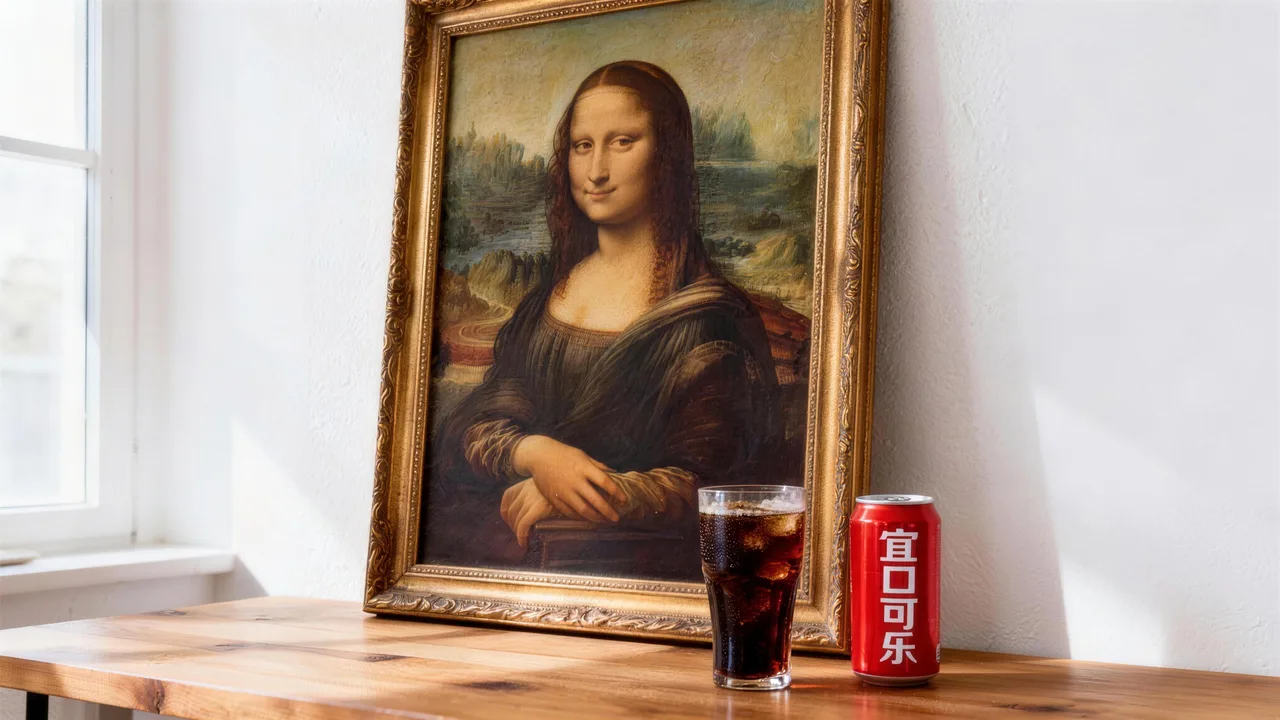
These jobs are the clearest fit for starting with Nano Banana
When you need a lighter, faster image entry for filtering directions, this page is the better fit.
Poster-direction exploration is the clearest use case. The team has not locked the key visual yet and wants to compare how different subjects, compositions, and copy angles look on screen.
Cover art and thumbnail work also fit well because those jobs often care more about speed and direction judgment than squeezing every last detail out of the first run.
Product-image drafts fit too, especially when a brand team is still comparing product framing, background mood, and lens distance. A lighter entry point is usually easier to work with there.
So Nano Banana behaves like a public “get the first image out” route. Start here, surface the direction, then decide whether the idea deserves Nano Banana 2, Nano Banana Pro, or another higher-spec page.

HOT 🔥
Poster drafts
Useful for comparing multiple key-visual directions early in a campaign.
8.4k USESUse Template

NEW
Cover art and thumbnails
Strong for judging title visuals, subject placement, and first-glance impact quickly.
1.2k USESUse Template

NEW
Product-image first drafts
Useful for comparing background mood, composition, and product emphasis before polishing.
4.1k USESUse Template

NEW
Social graphics
A practical fit for content teams that need a batch of reviewable social-graphic directions quickly.
4.1k USESUse Template
NEW
Campaign visual exploration
Useful when a campaign theme, message, and visual mood are still in flux.
4.1k USESUse Template
NEW
Lightweight edit variants
Once a draft image exists, the same page is still useful for lighter variant work.
4.1k USESUse Template
Compare
Nano Banana vs Other Image Solutions
Understand how Nano Banana as a lightweight entry point differs from other image solutions.
vs
Alternative 01
Nano Banana vs Nano Banana 2
Nano Banana is faster and lighter for rapid drafting; Nano Banana 2 offers better detail and stability for everyday production.
Use Nano Banana for validating ideas and composition; switch to Nano Banana 2 for steadier output once the direction is confirmed.
vs
Alternative 02
Nano Banana vs Free Online Image Tools
Nano Banana supports natural-language prompts for direct generation; free tools typically only offer filters and basic editing.
When you need to create from scratch rather than edit existing images, Nano Banana is the better starting point.
vs
Alternative 03
Nano Banana vs Seedream 4.5
Nano Banana focuses on speed and versatility; Seedream 4.5 has an edge in stylization and mood.
Use Nano Banana purely for validating subject and composition; switch to Seedream 4.5 when testing visual style and mood.
User feedback
Feedback written around fast-draft image workflows
These testimonials focus on whether it helps teams find the direction faster.
“I usually generate three or four directions here first, decide what is worth keeping, and only then move into a heavier page.”

Growth designer
Poster drafts
“The biggest advantage is speed. A lot of the time we just want to know whether the idea works at all.”

Brand content team
Cover art
“I usually generate three or four directions here first, decide what is worth keeping, and only then move into a heavier page.”
Growth designer
Poster drafts
“The biggest advantage is speed. A lot of the time we just want to know whether the idea works at all.”
Brand content team
Cover art
“I usually generate three or four directions here first, decide what is worth keeping, and only then move into a heavier page.”
Growth designer
Poster drafts
“The biggest advantage is speed. A lot of the time we just want to know whether the idea works at all.”
Brand content team
Cover art
“I usually generate three or four directions here first, decide what is worth keeping, and only then move into a heavier page.”
Growth designer
Poster drafts
“The biggest advantage is speed. A lot of the time we just want to know whether the idea works at all.”
Brand content team
Cover art
“There is no reason to go heavy on the first product-image pass. This page is good for testing framing and mood first.”

Ecommerce operator
Product-image direction
“If I just want to get an image out quickly, I would rather start with Nano Banana because the workflow feels lighter.”

Independent creator
Social graphics
“There is no reason to go heavy on the first product-image pass. This page is good for testing framing and mood first.”
Ecommerce operator
Product-image direction
“If I just want to get an image out quickly, I would rather start with Nano Banana because the workflow feels lighter.”
Independent creator
Social graphics
“There is no reason to go heavy on the first product-image pass. This page is good for testing framing and mood first.”
Ecommerce operator
Product-image direction
“If I just want to get an image out quickly, I would rather start with Nano Banana because the workflow feels lighter.”
Independent creator
Social graphics
“There is no reason to go heavy on the first product-image pass. This page is good for testing framing and mood first.”
Ecommerce operator
Product-image direction
“If I just want to get an image out quickly, I would rather start with Nano Banana because the workflow feels lighter.”
Independent creator
Social graphics
Tarification flexible qui s'adapte à votre production
Commencez gratuitement, puis passez à la version supérieure avec des crédits. Tous les plans restent sans filigrane avec facturation mensuelle ou annuelle.
Starter
Pour les créateurs réguliers
$10
$15/moisTotal annuel $$120 · économisez env. 33%
Crédits mensuels600
Valable 30 jours
Cost per 100 credits
$1.67Fonctionnalités clés pour créateurs
- Workflow principal de génération vidéo et image
- Priorité de file d'attente plus élevée
- Licence d'utilisation commerciale
- Workflow d'exportation HD
- Outils d'amélioration des prompts
- Préréglages créateur réutilisables
- Améliorateur vidéo IA
- Suppression d'arrière-plan vidéo IA
- Modèle Seedream
- Génération vidéo IA prise en charge
- Modèle Seedance
- Modèle Veo 3
- Modèle Sora 2
- Modèle Wan 2.5
- Sans filigrane
- Support par e-mail
Premium
Pour les équipes de production
Le plus populaireJusqu'à 50% d'économie
$14.5
$29/moisTotal annuel $$174 · économisez env. 50%
Crédits mensuels1,500
Valable 30 jours
Cost per 100 credits
$0.97Tout ce qui est dans Lite, plus
- Tout ce qui est dans Lite
- Priorité de file d'attente maximale
- Licence d'utilisation commerciale
- Préréglages de collaboration d'équipe
- Mise à l'échelle de production à haut volume
- Workflow créatif multi-modèles
- Support client prioritaire
- Contrôles de prompts avancés
- Production commerciale sûre pour les marques
- Utilisation de production de longue durée
- File d'attente de génération prioritaire
- Modèle Seedance 2.0
- Modèle Seedream
- Améliorateur vidéo IA
- Suppression d'arrière-plan vidéo IA
- Modèle Veo 3
- Modèle Sora 2
- Modèle Seedance
- Modèle Wan 2.5
- Sans filigrane
Advanced
Pour les équipes de production
$124.5
$249/moisTotal annuel $$1494 · économisez env. 50%
Crédits mensuels18,000
Valable 30 jours
Cost per 100 credits
$0.69Tout ce qui est dans Pro, plus
- Tout ce qui est dans Lite
- Priorité de file d'attente maximale
- Licence d'utilisation commerciale
- Préréglages de collaboration d'équipe
- Mise à l'échelle de production à haut volume
- Workflow créatif multi-modèles
- Support client prioritaire
- Contrôles de prompts avancés
- Production commerciale sûre pour les marques
- Utilisation de production de longue durée
- File d'attente de génération prioritaire
- Modèle Seedance 2.0
- Modèle Seedream
- Améliorateur vidéo IA
- Suppression d'arrière-plan vidéo IA
- Modèle Veo 3
- Modèle Sora 2
- Modèle Seedance
- Modèle Wan 2.5
- Sans filigrane
- Plafond mensuel de crédits plus élevé
- Support de compte dédié
- Accès prioritaire aux nouveaux modèles
Pour les annulations, questions de facturation ou changements de plan, contactez support@bestvid.net
Nano Banana FAQ
When is Nano Banana the right page to use?
It is the best fit when you only have a prompt, a brief, or a still-moving idea and want to get to the first image quickly.
How is this page different from Nano Banana 2?
Nano Banana is the lighter drafting route, while Nano Banana 2 is the broader and safer default model page. The first is better for quick filtering, the second for broader everyday image work.
Can this page work from reference images too?
Yes. It is not only for pure prompts. Once a rough draft, product image, or key visual exists, it can keep handling lighter edits and variants too.
What jobs may not be the best fit for this page?
If the job already needs higher finish, stronger photorealism, or a more premium brand-ready result, Nano Banana 2, Nano Banana Pro, or the Seedream pages are usually better fits.
Why does the page not default to a heavier setup?
Because the first job of the page is direction checking. Making every early run too heavy usually slows down creative filtering instead of helping it.
Commencez gratuitement · Échelonnez à votre rythme
Transformez votre vision avec BestVid : le générateur professionnel de vidéos et d'images par IA
Commencez à créer aujourd'hui avec notre générateur IA professionnel. Utilisez texte en vidéo et image en vidéo pour produire rapidement des brouillons. Commencez gratuitement, échelonnez à votre rythme.